
Overview shows enterprise setup guidance, the current plan, remaining seats and credits, and usage over the last 30 days.
Overview shows enterprise setup guidance, the current plan, remaining seats and credits, and usage over the last 30 days.
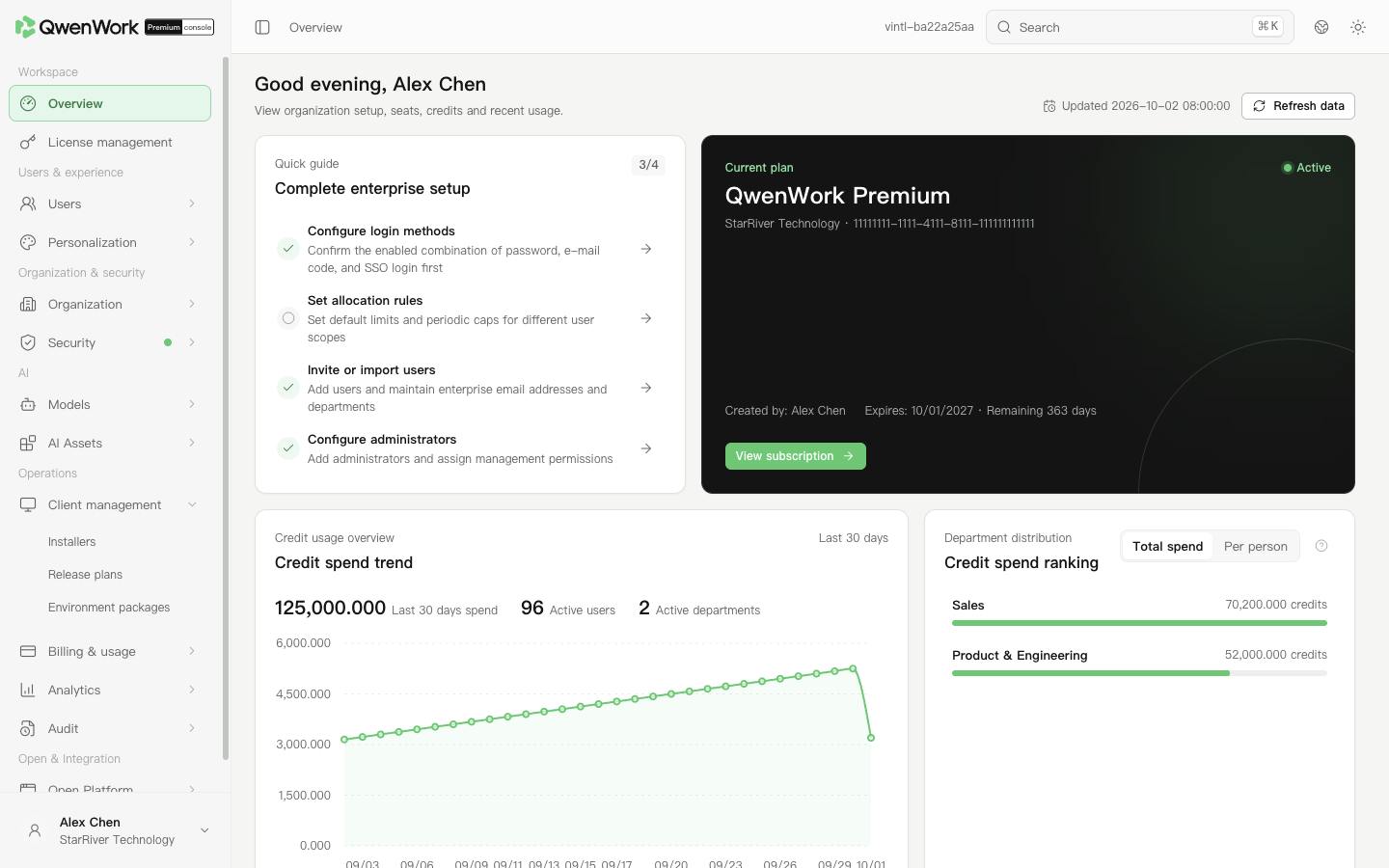 Admin console: plan, seats, credits, and recent enterprise usage.
The enterprise initialization section links to sign-in methods, quota allocation rules, user invitation or import, and administrator configuration. Select a task to open its configuration page.
Return to: Admin console feature overview.
Review the enterprise
- Sign in to the admin console and open Overview.
- In the current-plan card, check the organization, subscription status, and expiry date. Open the subscription link to view Subscription management.
- Check the remaining seats and assigned users. Open seat management to manage users.
- Review the 30-day credit trend. In the department ranking, compare total usage or average usage per user.