
Configure your profile, preferences, language, and other general settings.
General Settings lets you manage your profile, language, appearance, subscription, and credit usage. To open it in QwenWork, click your profile picture or the Settings icon in the sidebar.
This section displays your profile picture, nickname and linked email.
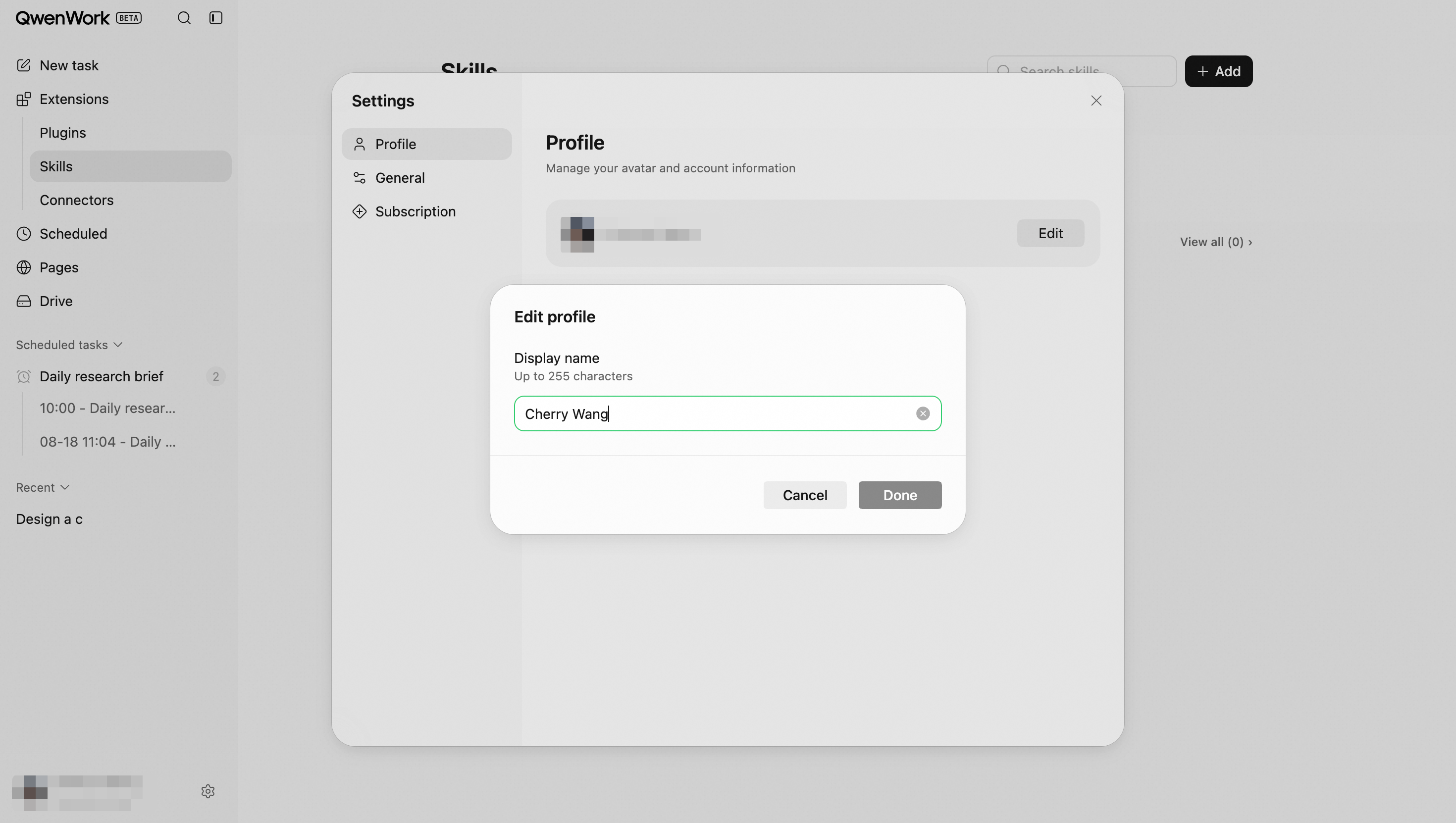
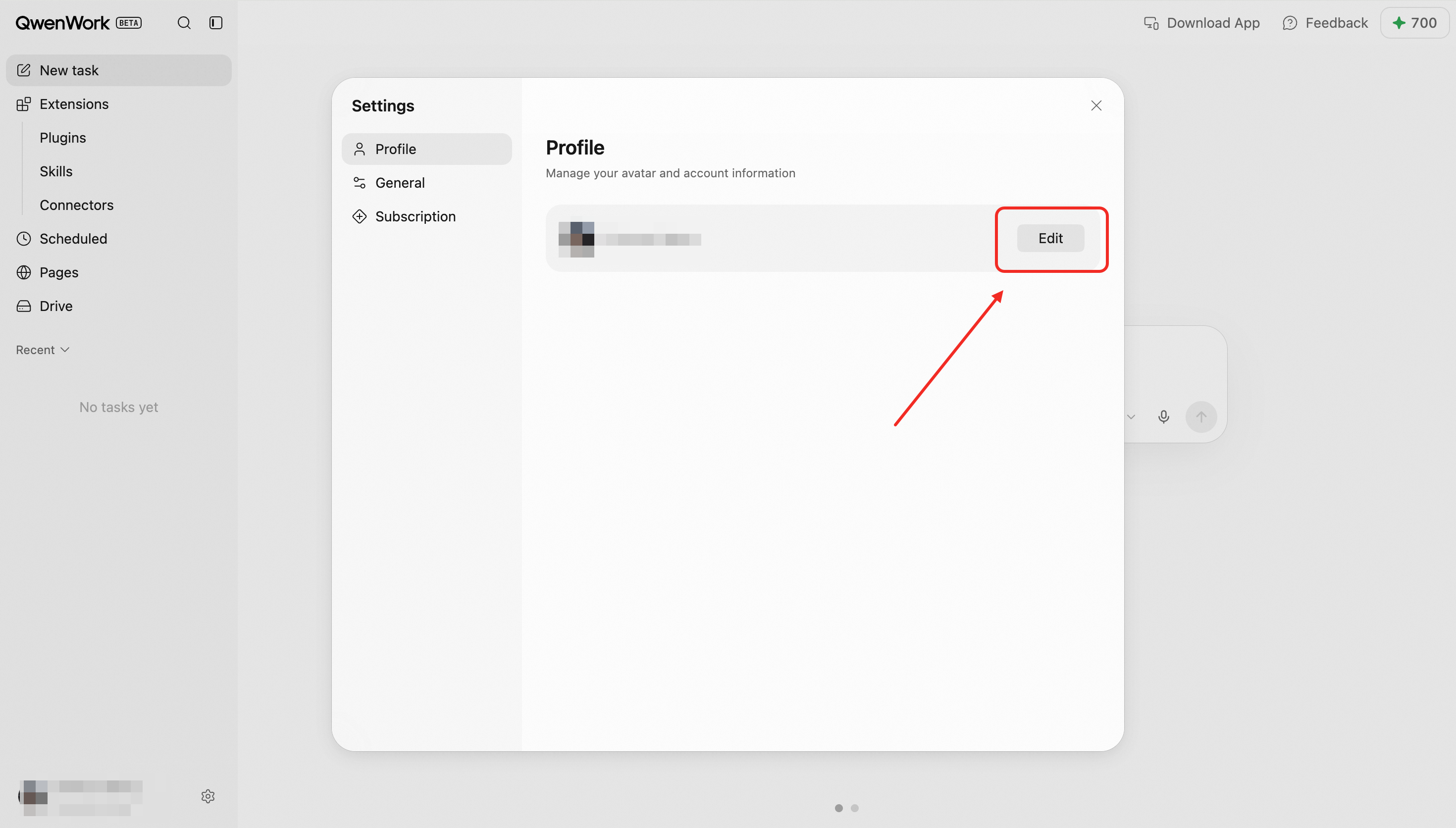 Click Edit to change your nickname. Nicknames must contain 3–20 characters and may include only letters, numbers, and underscores. Click Done to save your changes.
This section displays: Your current subscription plan; Subscription expiration date; Current credit balance; Credit breakdown, including daily refreshed credits, monthly subscription credits, and long-term credits.
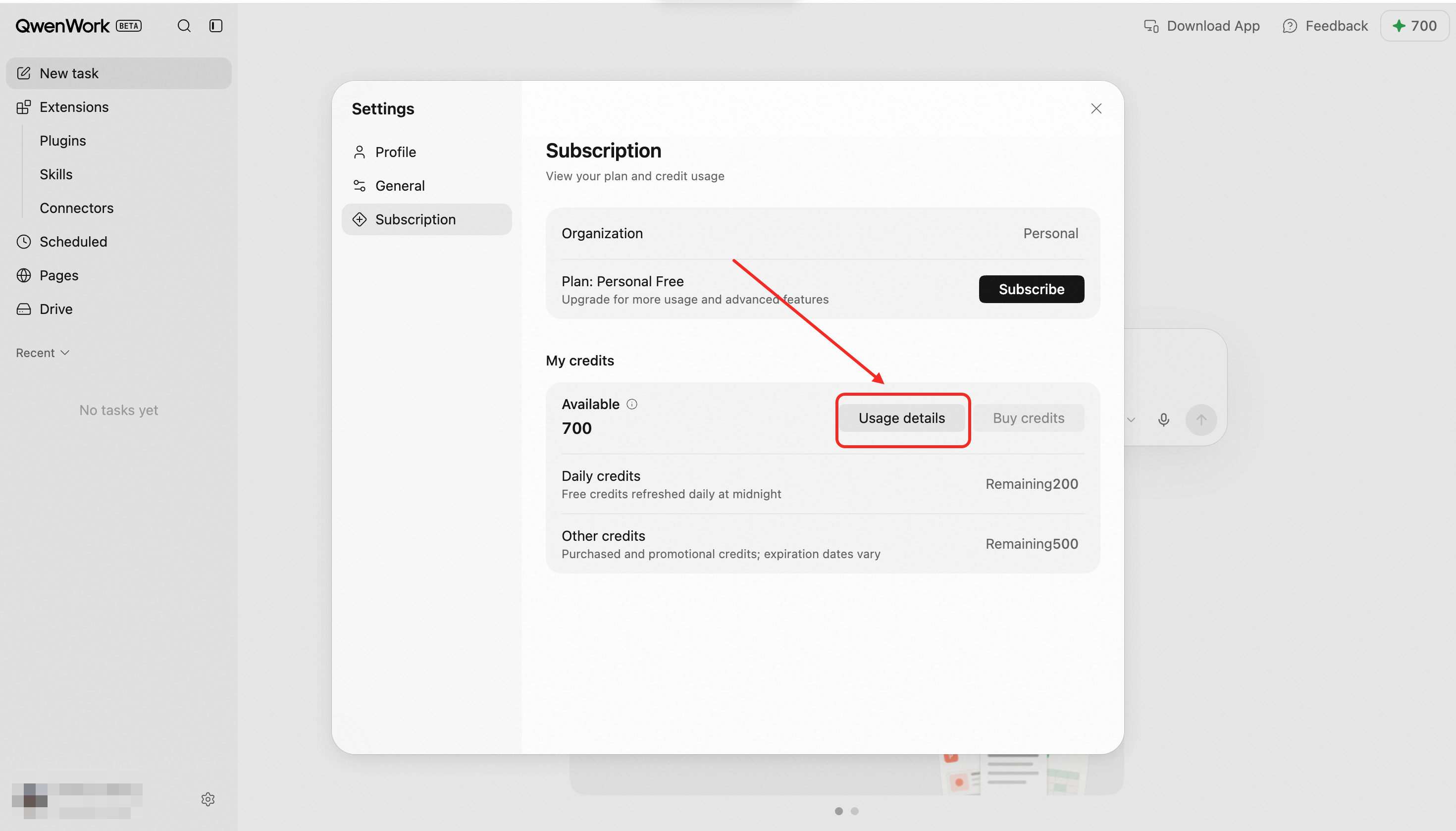 Click Subscribe or Manage to manage your subscription, Upgrade to change to a higher-tier plan, or Top Up to purchase credits.
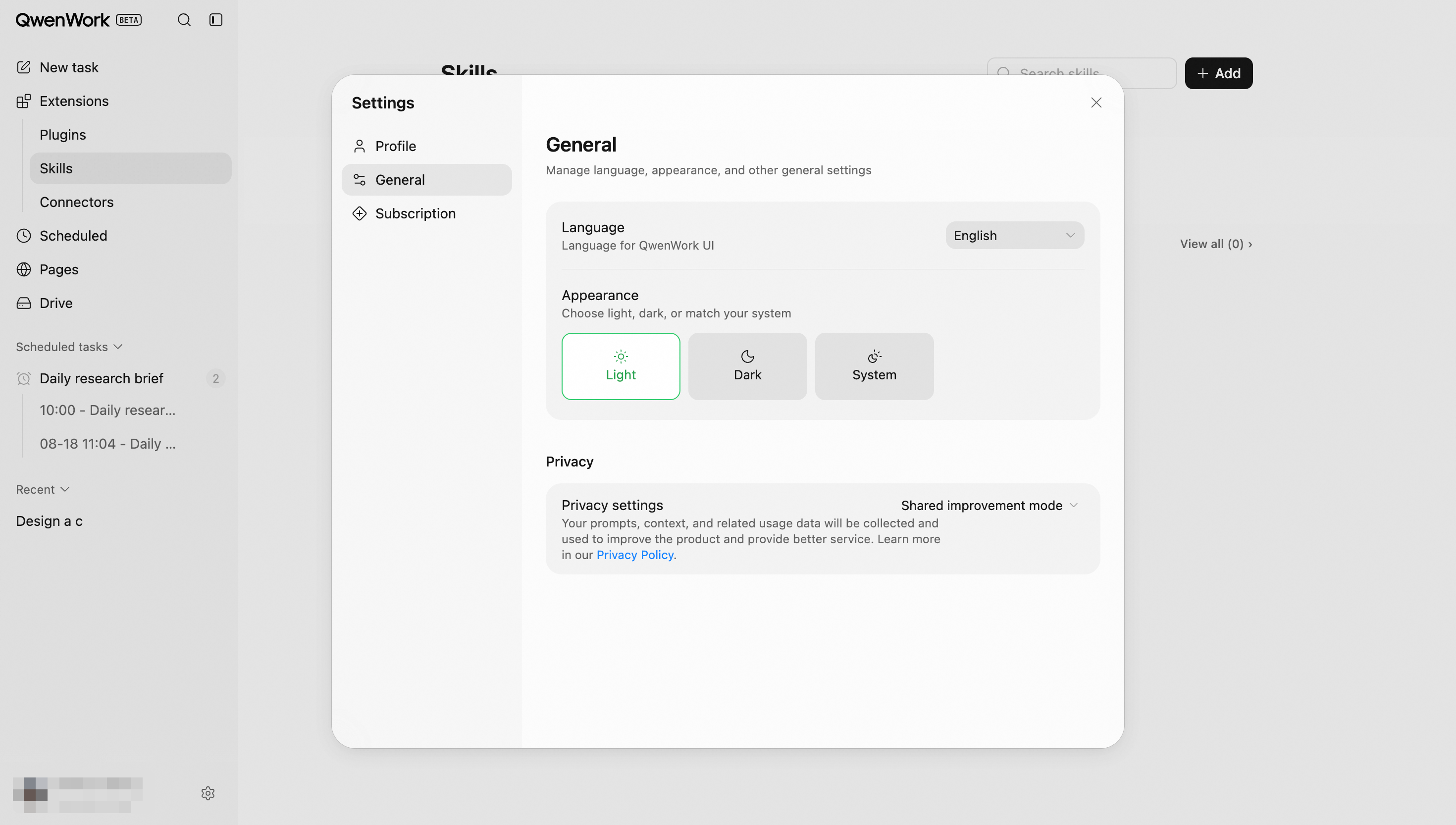
English and Simplified Chinese are currently supported. Traditional Chinese, Korean, Japanese, Spanish, and other languages will be supported in the future.
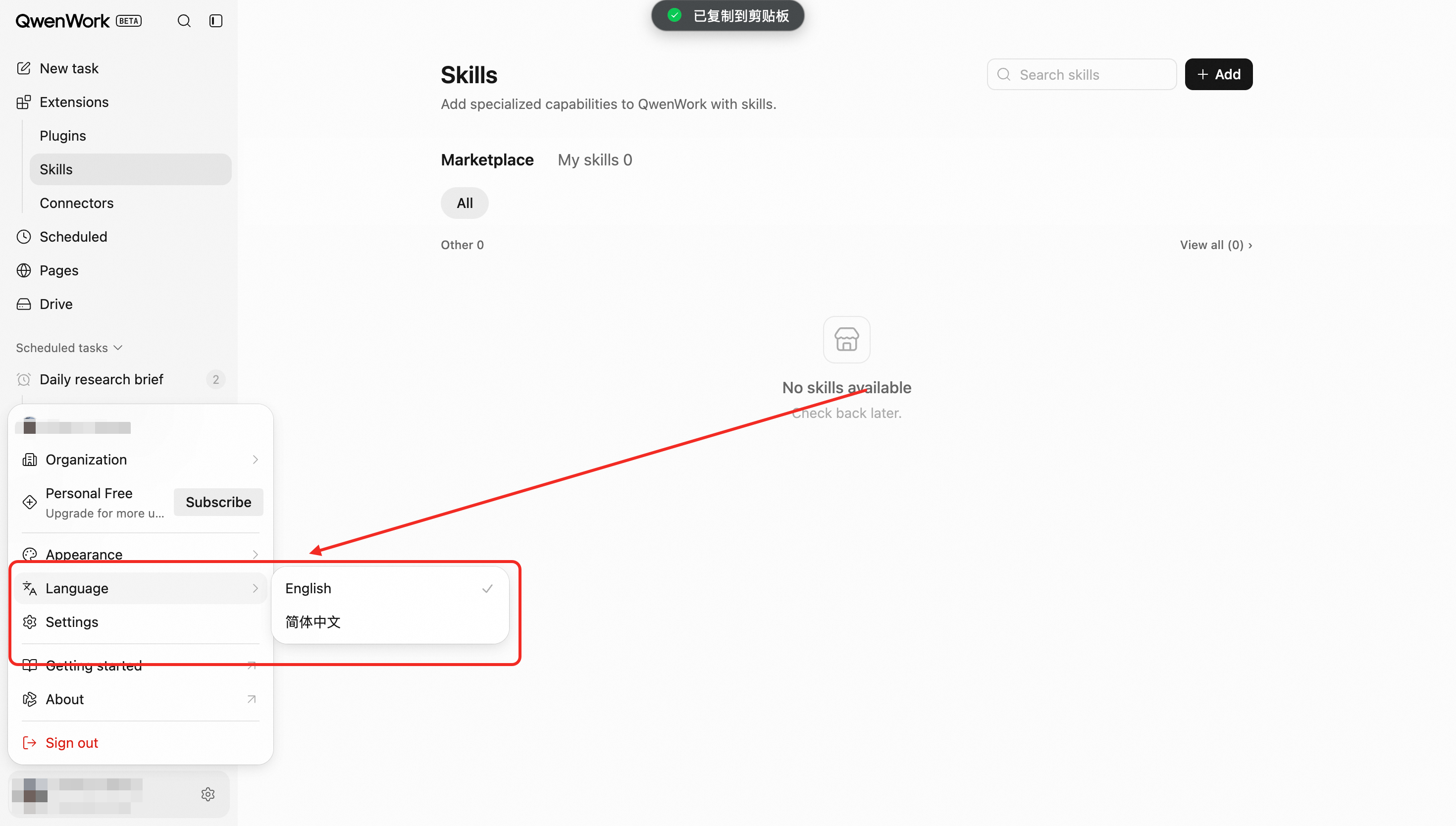
QwenWork supports three appearance modes: Light, Dark, and Use system settings. When Use system settings is selected, QwenWork automatically follows your device’s appearance settings.
Enterprise subscriptions and credit purchases are currently available on PC and the web.
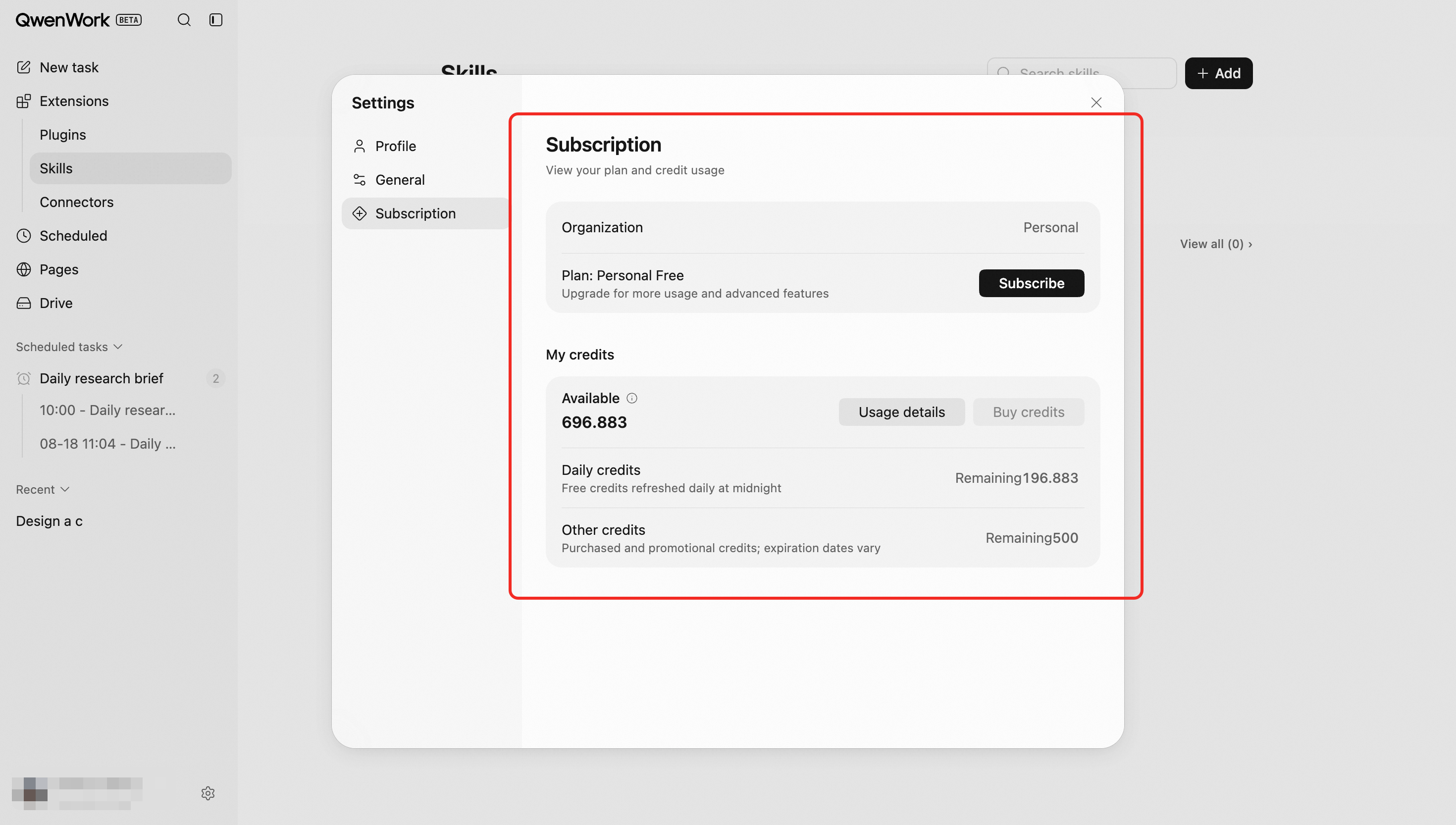
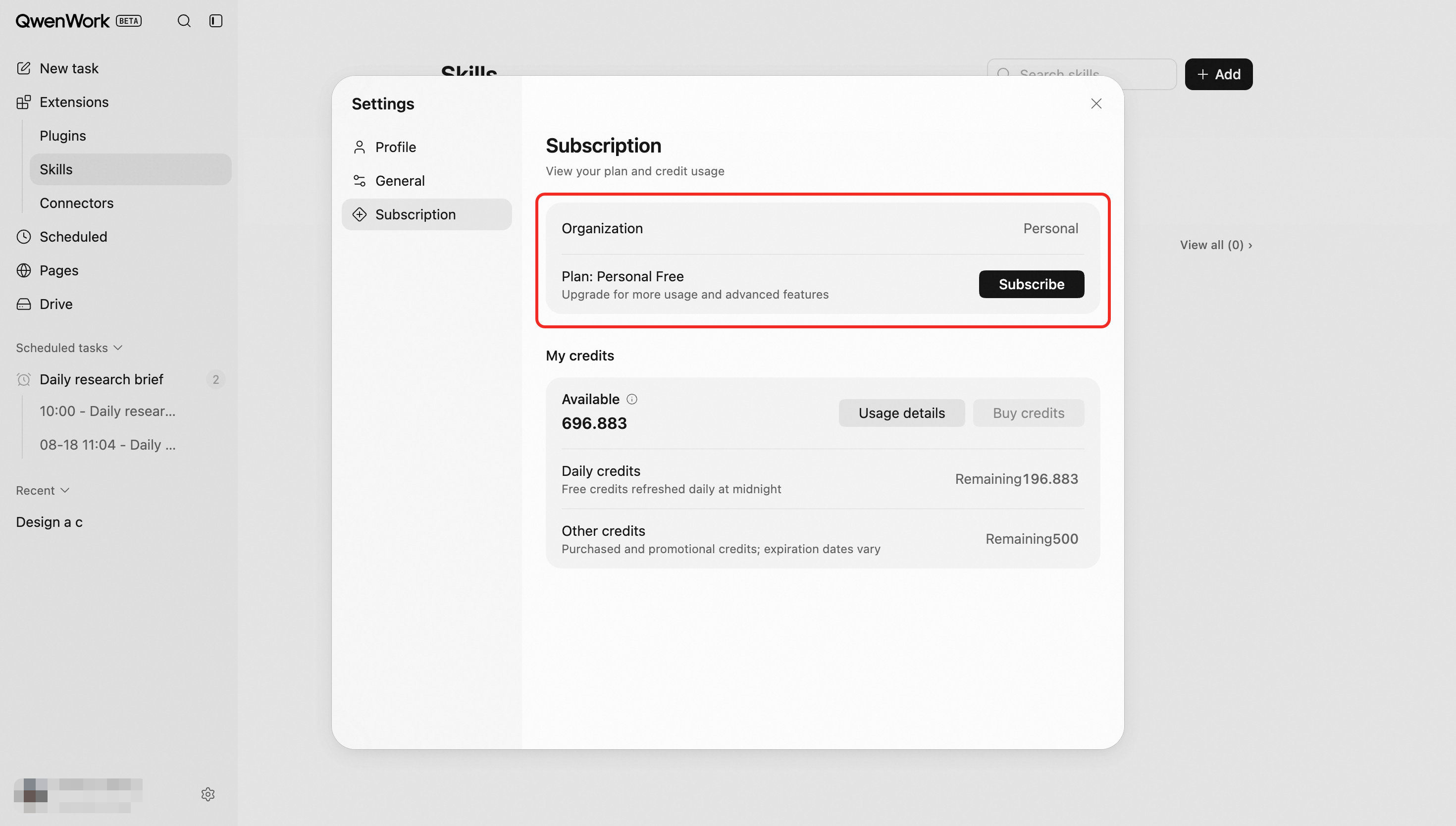
Individual users can view their current plan, remaining credits, and credit expiration dates. They can also review usage details and purchase additional credits. Free-plan users can click Upgrade Subscription to upgrade their individual plan.
Enterprise members can view their remaining credits and credit usage. When credits are insufficient, they can request additional credits from their organization.
Enterprise administrators can open the enterprise admin console from Settings to review organization-wide credit usage and manage the enterprise subscription.
In the admin console, enterprise administrators can assign seats, manage subscription plans, and purchase additional credit allocations.
1. Profile
1.1 Viewing and Editing Your Profile
This section displays your profile picture, nickname and linked email.
1.2 Subscription
This section displays: Your current subscription plan; Subscription expiration date; Current credit balance; Credit breakdown, including daily refreshed credits, monthly subscription credits, and long-term credits.
2. General
2.1 Language
English and Simplified Chinese are currently supported. Traditional Chinese, Korean, Japanese, Spanish, and other languages will be supported in the future.
2.2 Appearance
QwenWork supports three appearance modes: Light, Dark, and Use system settings. When Use system settings is selected, QwenWork automatically follows your device’s appearance settings.
3. Usage
Enterprise subscriptions and credit purchases are currently available on PC and the web.
3.1 Individual Users
Individual users can view their current plan, remaining credits, and credit expiration dates. They can also review usage details and purchase additional credits. Free-plan users can click Upgrade Subscription to upgrade their individual plan.