
How to redeem QwenWork credit and subscription codes, the redemption rules, and how to verify your redemption.
Credit redemption and subscription redemption share the same entry point. The redemption steps are below.
Three types of redemption codes are currently available to personal accounts (collectively, the Individual Redemption Codes):
Website
| Step 1 | Step 2 |
|---|---|
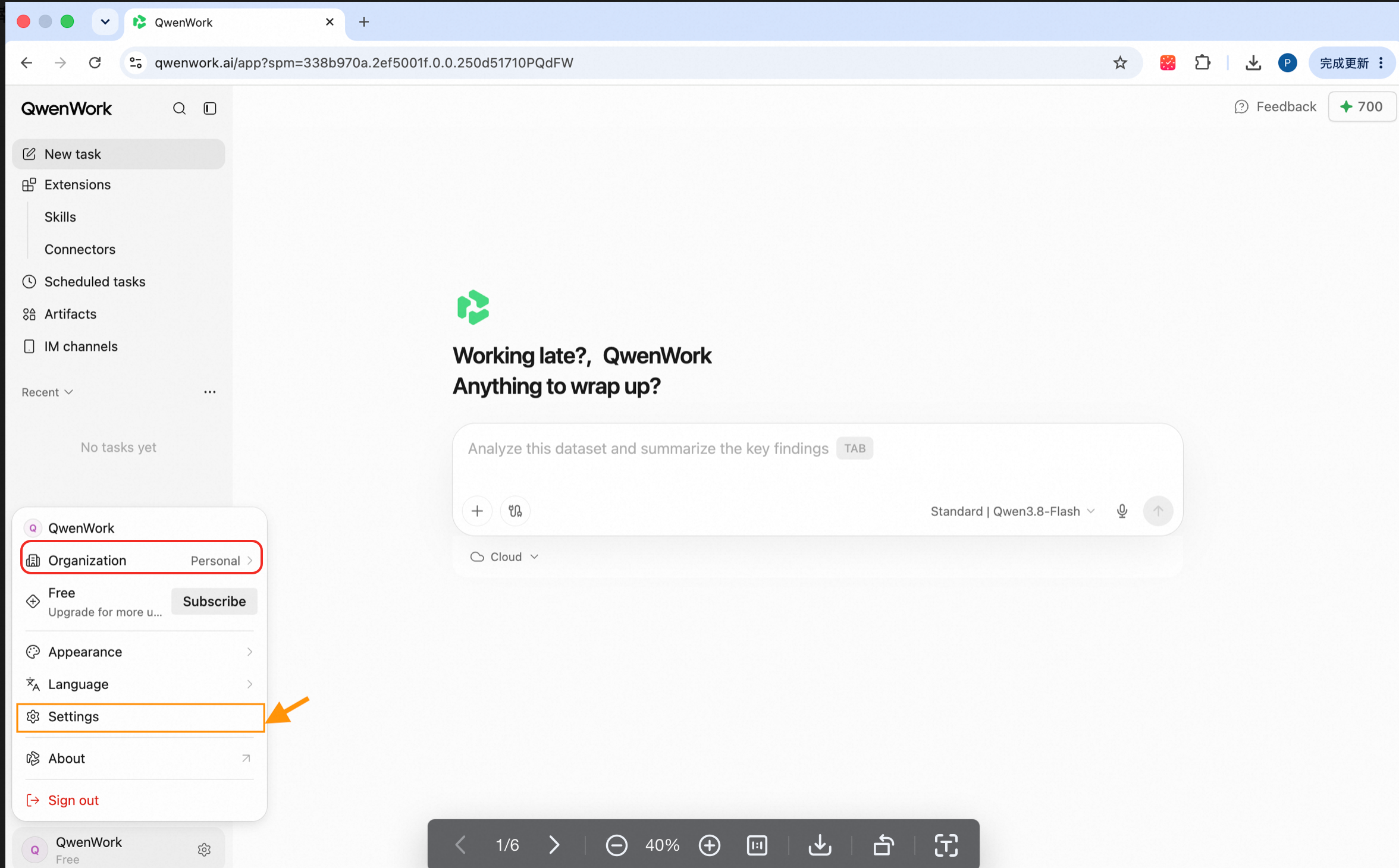
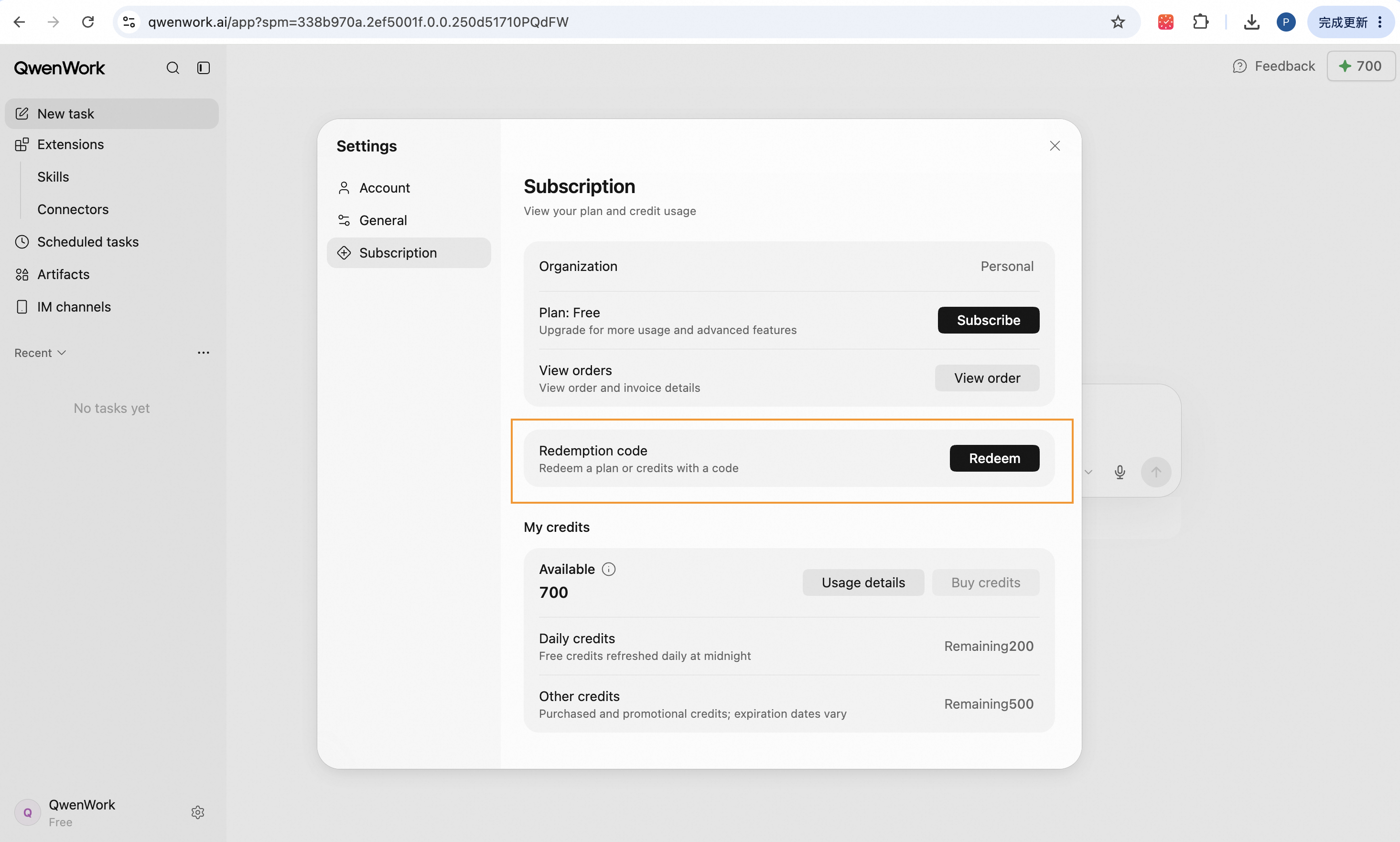
| Click your avatar (bottom-left), select your personal subscription under Organization, then open Settings. | Open Subscription, find the Redemption code section, and click Redeem. |
 |  |
This feature isn't available in the desktop app yet. Stay tuned — it's coming soon.
Redemption rules
Types of redemption codes
Three types of redemption codes are currently available to personal accounts (collectively, the Individual Redemption Codes):
- Individual credit redemption code
- Individual Plus redemption code
- Individual Pro redemption code
Rules
- QwenWork credits require a registered QwenWork account to redeem and can only be used within QwenWork.
- Individual Redemption Codes cannot be applied to enterprise accounts.
- Individual Plus accounts can redeem Individual Plus redemption codes, and the entitlement duration stacks.
- The Individual Plus and Individual Pro redemption codes cannot be redeemed or held at the same time.
- Credits are granted to the account you are signed in to at the time of redemption and cannot be shared across accounts.
- The validity period of credits and subscription benefits is subject to the official campaign terms.
- This is a virtual entitlement product. Once redeemed, it is non-refundable and non-exchangeable. Please verify the receiving account before redeeming.
How to verify your redemption
Benefits may take a short while to activate after redemption. Thank you for your patience.
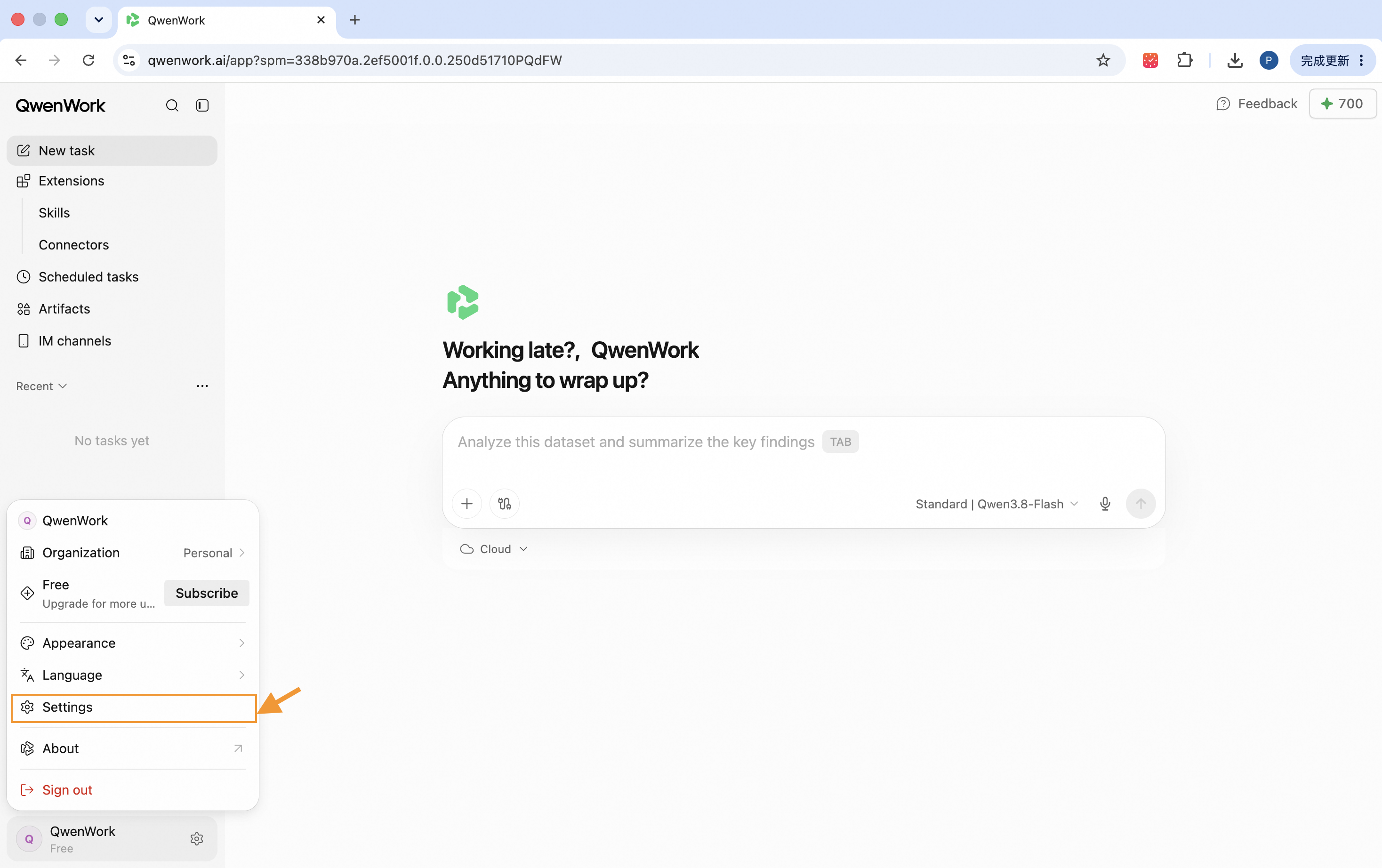
My credits
| Step 1 | Step 2 |
|---|---|
| Open Subscription and find My Credits to check whether the benefit is active. | Click Usage details to view a full breakdown of how your credits were used. |
 | |
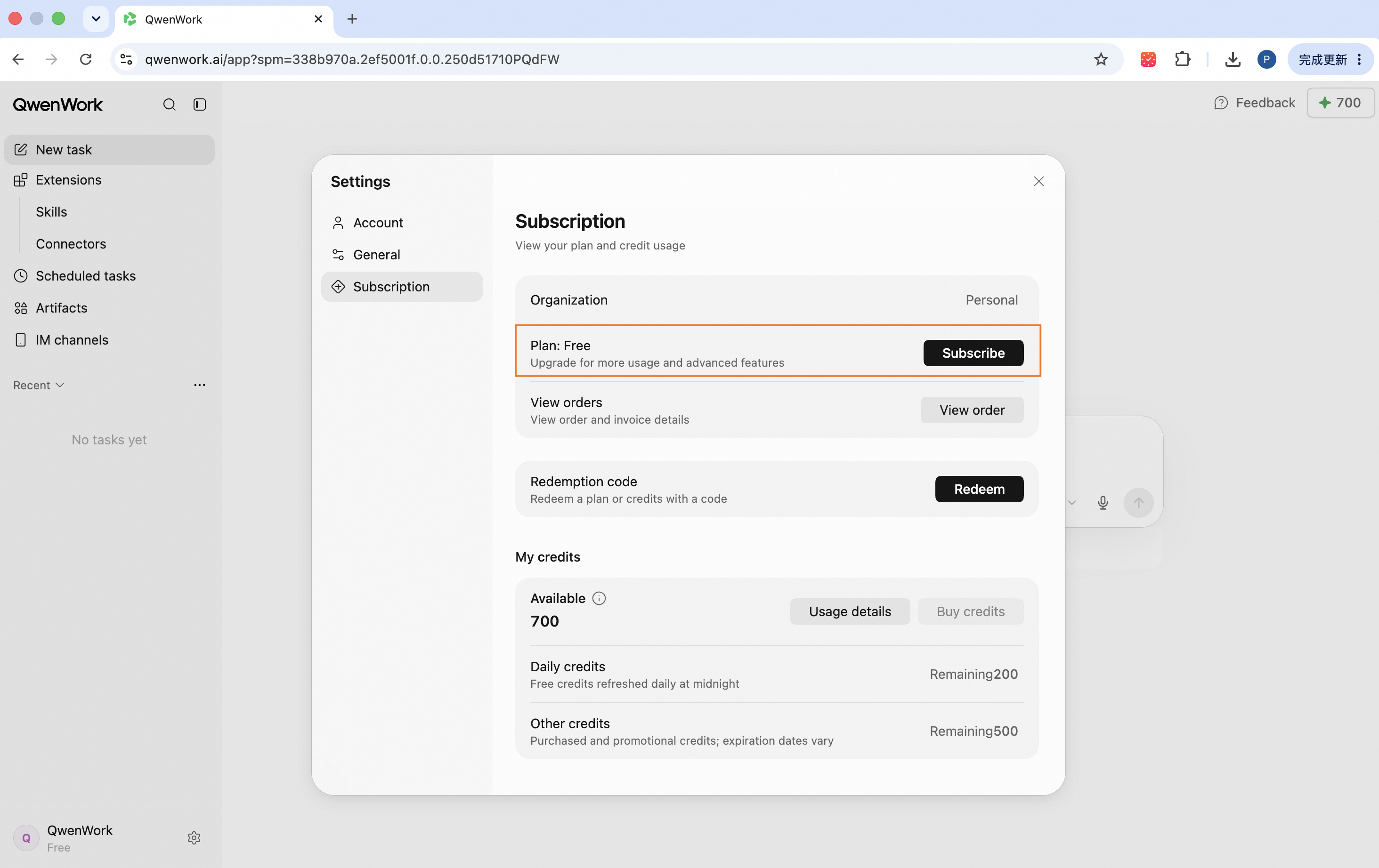
My subscription
| Step 1 | Step 2 |
|---|---|
| Open Subscription to check whether the redeemed benefit is active. | Click Subscribe to view the full breakdown of your plan. |
 | 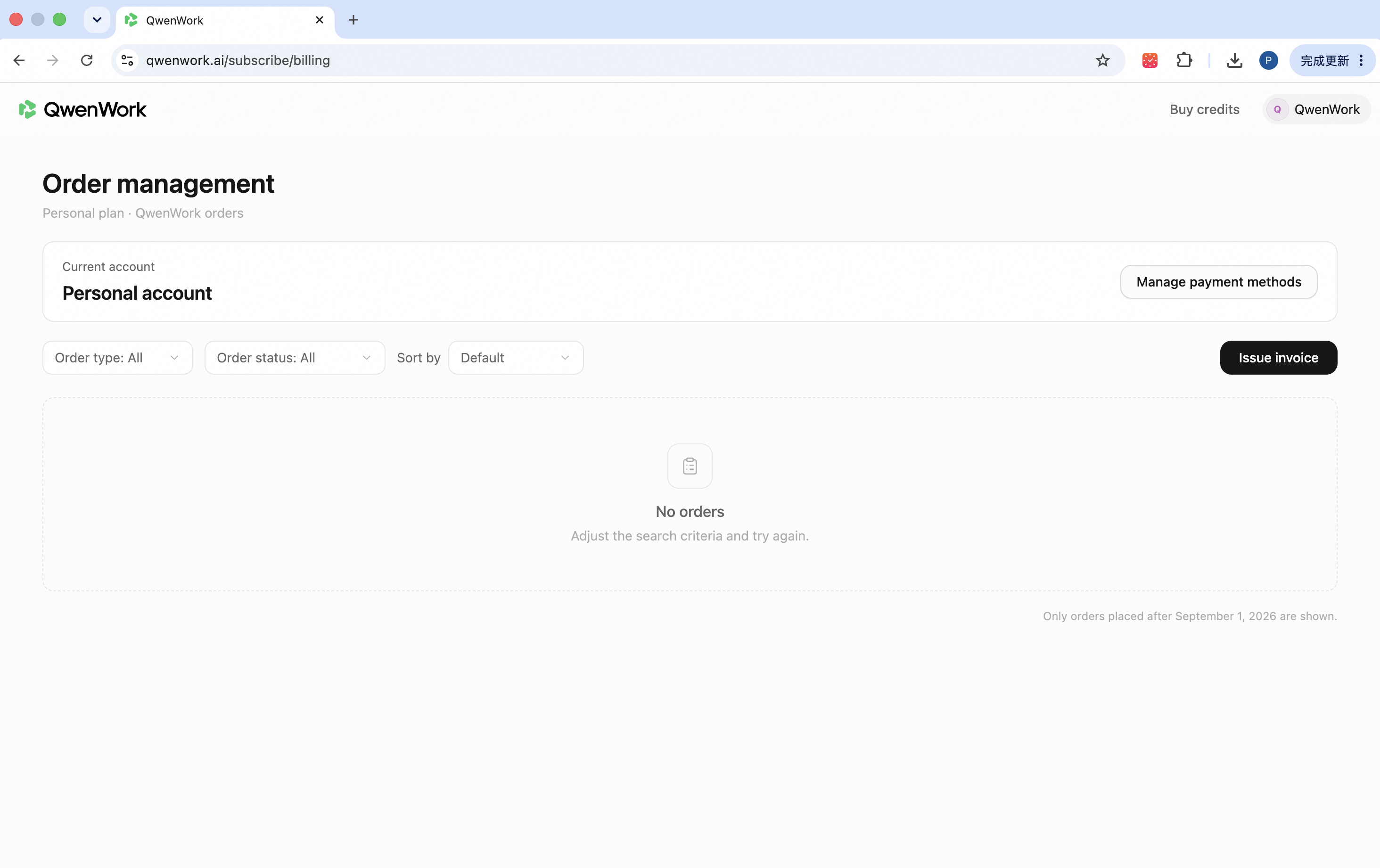 |