
App authorizations lets enterprise services call QwenWork management APIs.
App authorizations lets enterprise services call QwenWork management APIs. An application's API Key identifies the caller, while its permission configuration determines accessible APIs. Creating a key does not grant all permissions.
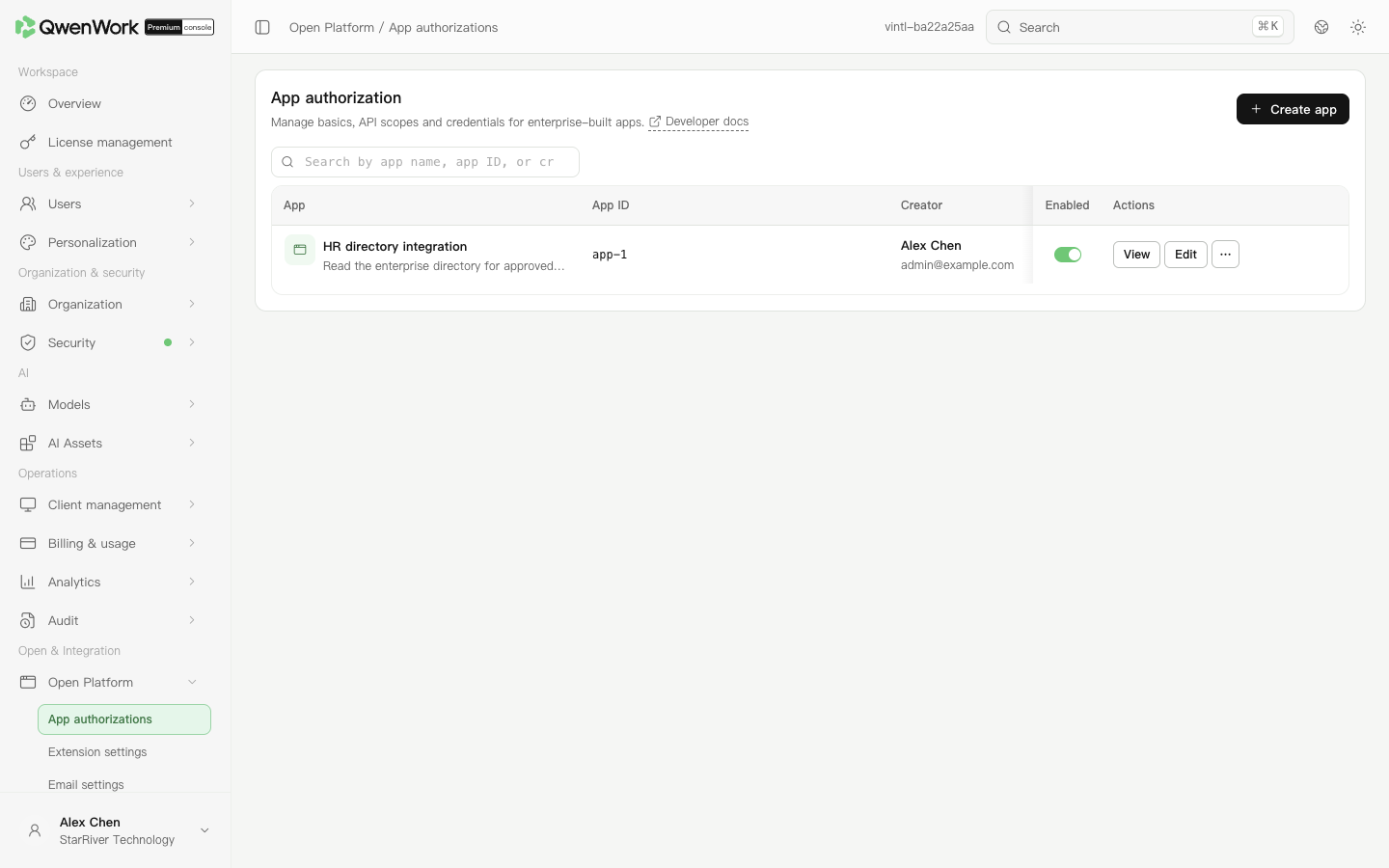 Admin console: maintain applications and their enabled states.
For rotation, create a new key, update the service, verify a successful call, then disable the old key. If a leak is suspected, promptly disable the affected key and inspect recent usage and call logs.
Disable the application to pause the integration. Before deletion, disable it and confirm callers have stopped using it; deletion is unavailable while enabled. Disabling an application or key interrupts dependent services.
Create an enterprise application
- Open Open & Integration → Open Platform → App authorizations and click Create app.
- Enter a name and purpose, such as “HR directory integration”, select API permissions, and create it. A key named Default is generated. Its full value is shown only once; save it before closing the dialog.
- Open the application's name or view action and check basic information.
Configure API permissions
- Open the application's permission configuration and edit it.
- Select the required scope and check read and write permissions individually.
- Save, reopen, and verify the actual granted set.
- Give the developer the required API and permission names and check request requirements in Developer docs.
Create and use an API Key
- Open application credentials and create an API Key.
- Enter the key name, expiry, and other requested fields, then confirm.
- The full key is shown once. Immediately store it in the enterprise's secret-management system. The list mask cannot recover it.
- Inject it into the calling service and follow the API documentation using
Authorization: Bearer <API_KEY>. - Confirm the application is enabled and call an authorized read-only API. Check its response.
Rotate, disable, or delete
For rotation, create a new key, update the service, verify a successful call, then disable the old key. If a leak is suspected, promptly disable the affected key and inspect recent usage and call logs.
Disable the application to pause the integration. Before deletion, disable it and confirm callers have stopped using it; deletion is unavailable while enabled. Disabling an application or key interrupts dependent services.
Handle calling errors
- 401: Check the key, request header, and application state.
- 403: Check API permissions and target data scope.