
Limits sets the credits each member may consume in a measurement period.
Limits sets the credits each member may consume in a measurement period. All members still use the enterprise's shared credits. Increasing a personal limit does not add purchased enterprise credits.
The effective order is individual user limit → matched enabled policy → default policy. Limits are not added together. Among custom policies, a lower priority number takes precedence.
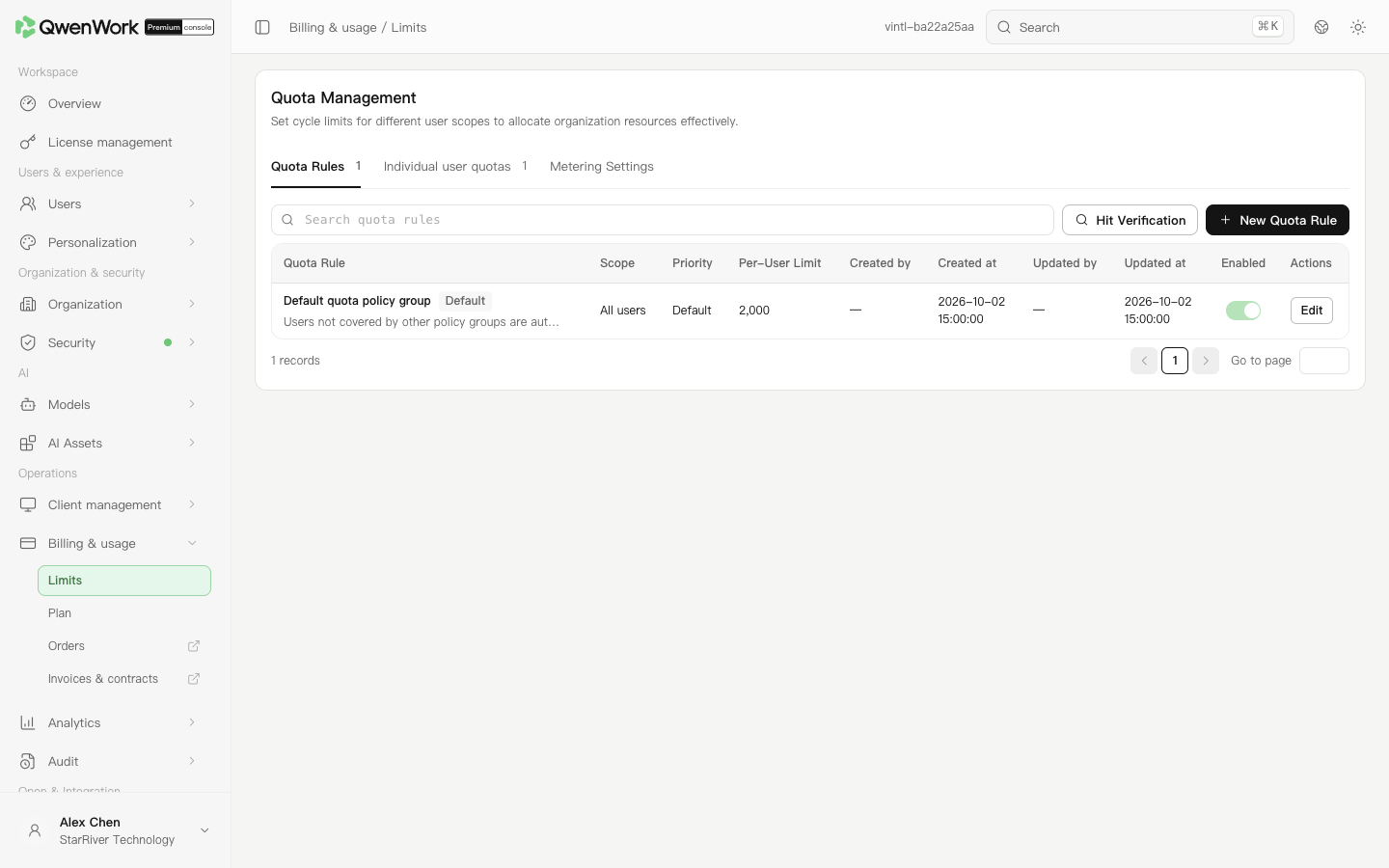 Admin console: maintain default and custom policies; each value is per user.
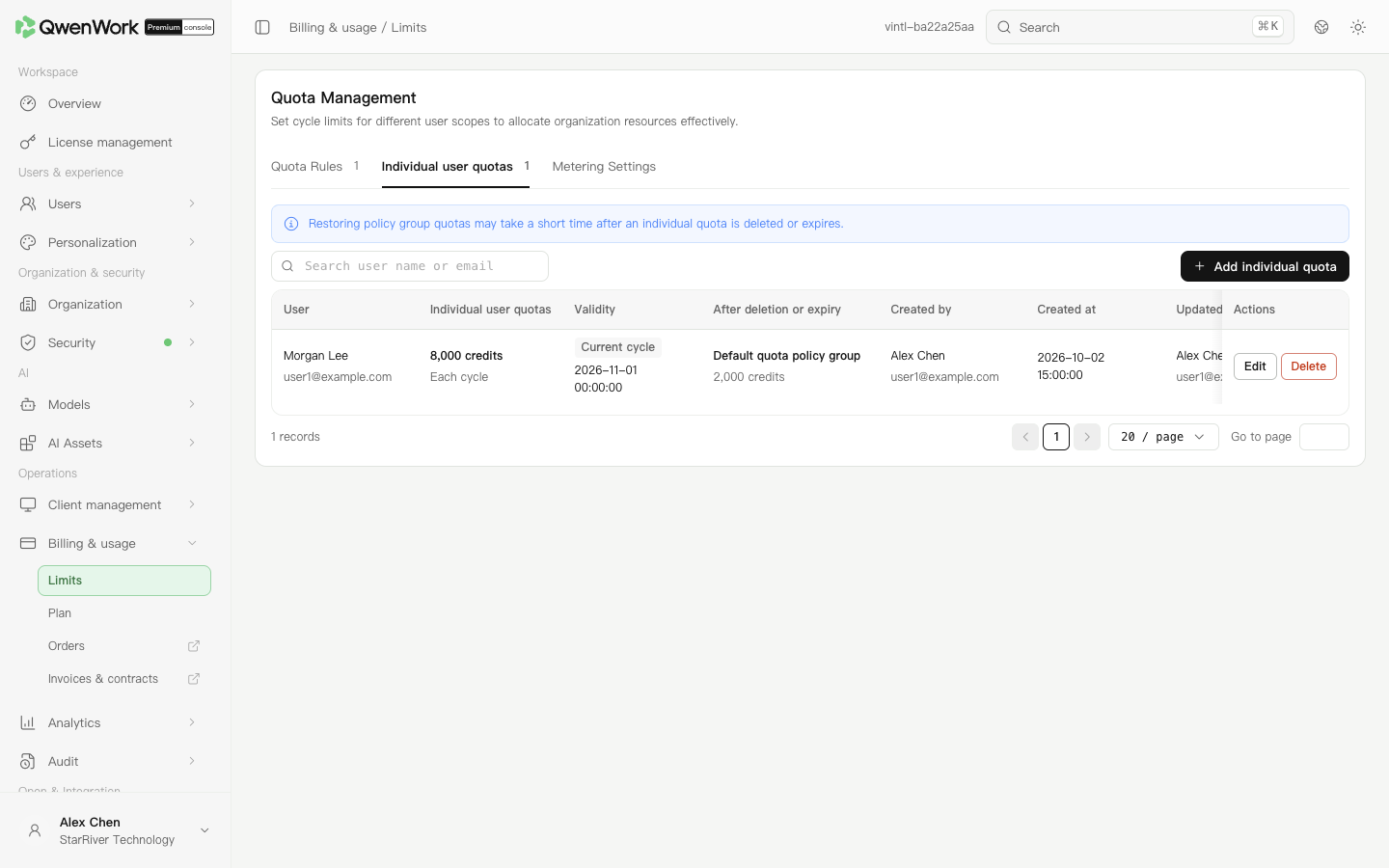 Admin console: verify an individual allowance and its validity.
After removal or expiry, the policy-group allowance resumes, possibly with a short delay. Check the current and fallback limits shown by the dialog before changing it.
Admin console: verify an individual allowance and its validity.
After removal or expiry, the policy-group allowance resumes, possibly with a short delay. Check the current and fallback limits shown by the dialog before changing it.
Open Analytics → Usage to check period usage and use Source to verify the limit. Lowering a limit does not remove past usage. If enterprise shared credits are exhausted, a remaining personal allowance does not resolve the enterprise balance.
Measurement settings show the period and next reset. Last-30-day statistics and an individual measurement period use different date ranges; check their start and end dates before comparing them.
Return to: Billing & usage overview
Choose the appropriate setting
| Need | Setting |
|---|---|
| Give most members the same allowance | Edit the default limit policy |
| Give a department, group, or set of members a different allowance | Add a limit policy group |
| Adjust one member temporarily or permanently | Individual user limit |
Set the default limit
- Open Billing & usage → Limits and select policy groups.
- Edit the default policy.
- Enter the allowance per user and save. It must be an integer from 500 to 1,000,000.
- The default always remains enabled and cannot be deleted. It applies when no other valid limit matches.
Set a limit for a department or group
- Add a policy group with a recognizable name and description, such as “Engineering allowance”.
- Set its priority and select users, departments, or user groups.
- Enter the allowance per user, such as 5,000. This is each member's limit, not a shared department total.
- Save and verify the policy is enabled.
- Use match verification to check the effective allowance and source for a target member.
Adjust an individual member
- Switch to individual user limits and add one.
- Search for the member and check their name and email to avoid selecting a namesake.
- Enter an integer from 500 to 1,000,000.
- Choose permanent or current-period validity. The dialog shows the current period's expiry. A permanent limit continues until changed or removed.
- Save and check the value and validity in the list.