
Connectors let QwenWork access enterprise systems or external services.
Connectors let QwenWork access enterprise systems or external services. Administrators maintain enterprise connectors, credentials, and access scopes, and can restrict connectors members add themselves.
Open AI Assets → Connectors → Market management to configure the official and enterprise markets.
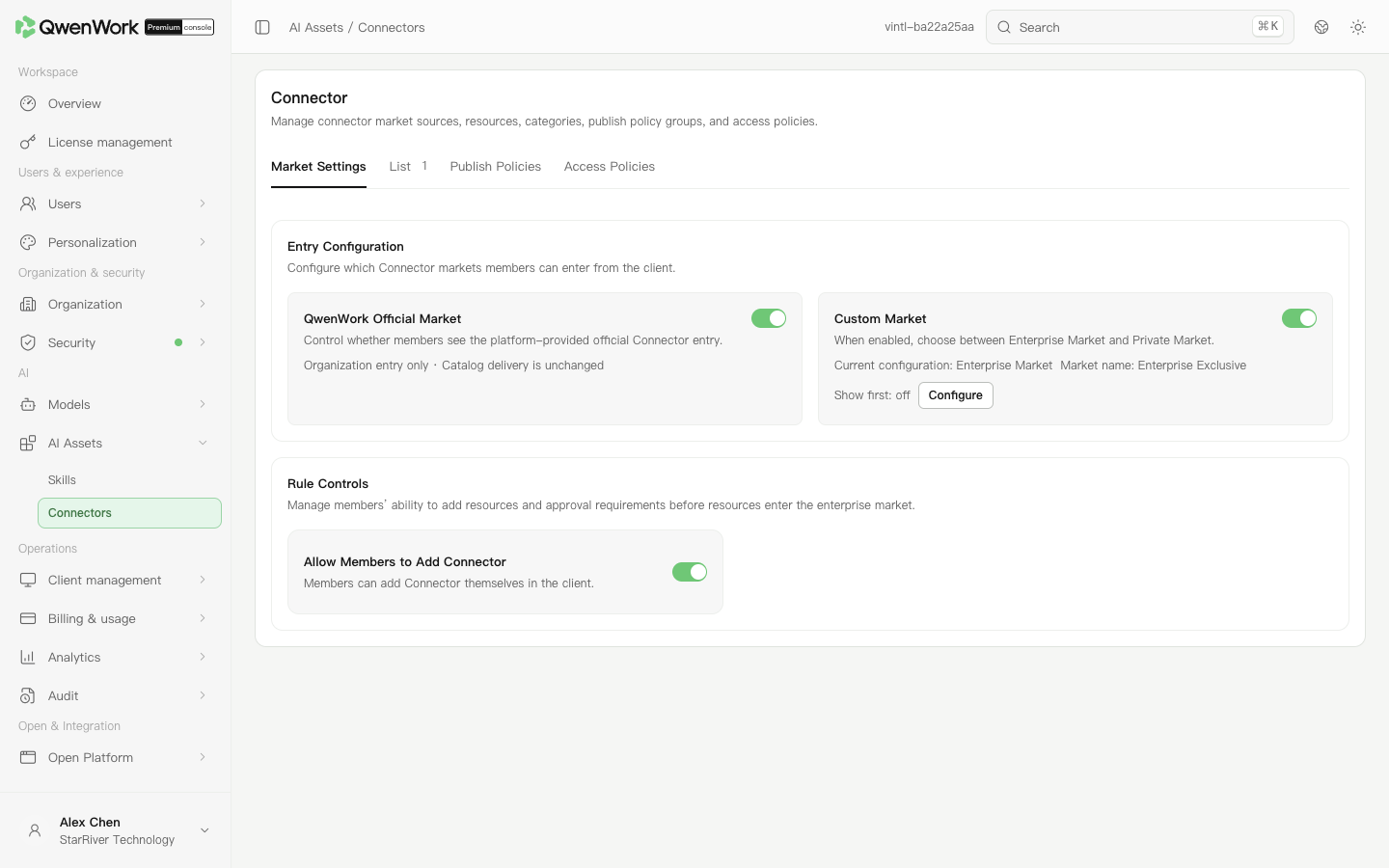 Admin console: configure connector market sources.
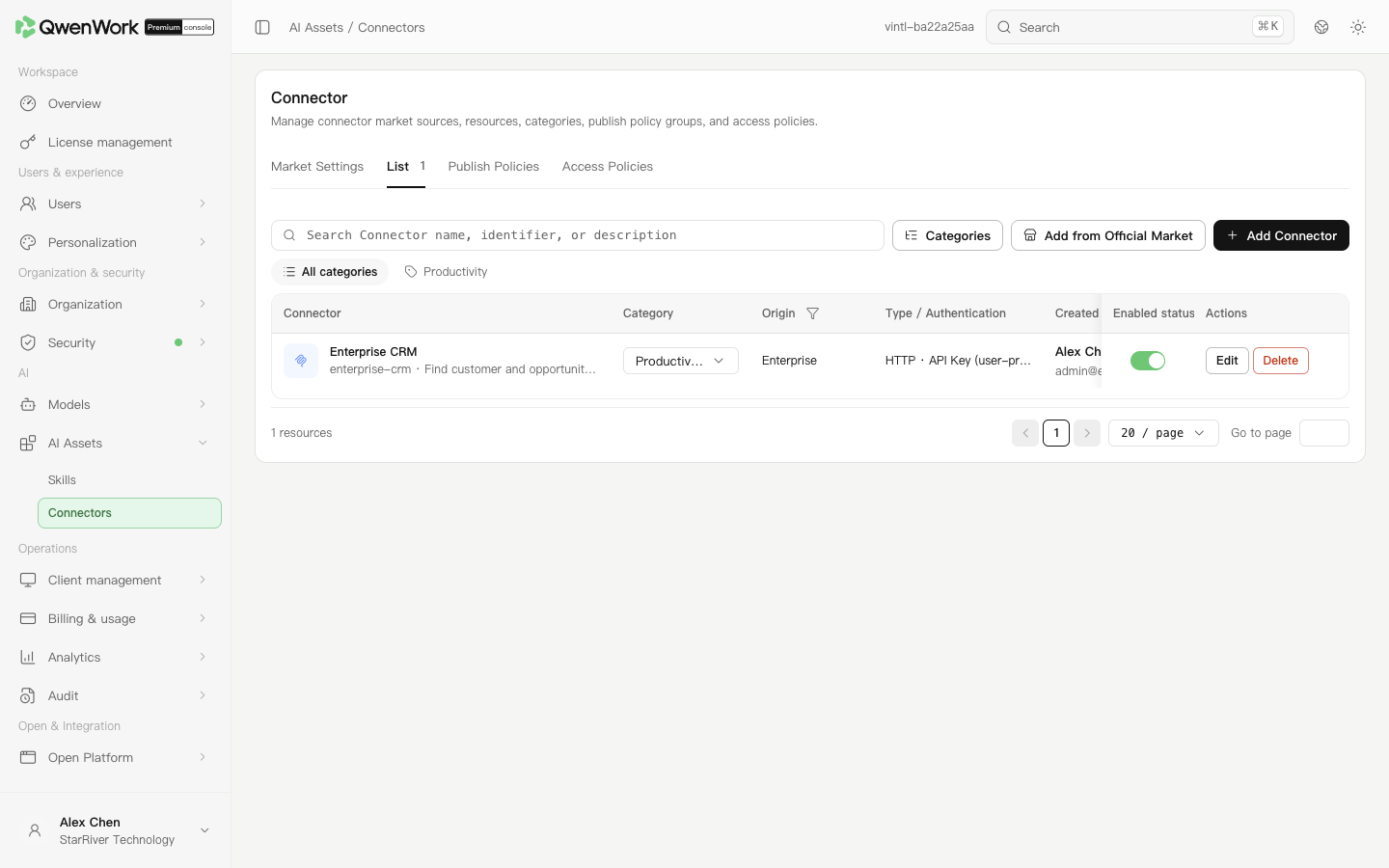 Admin console: maintain enterprise connector resources.
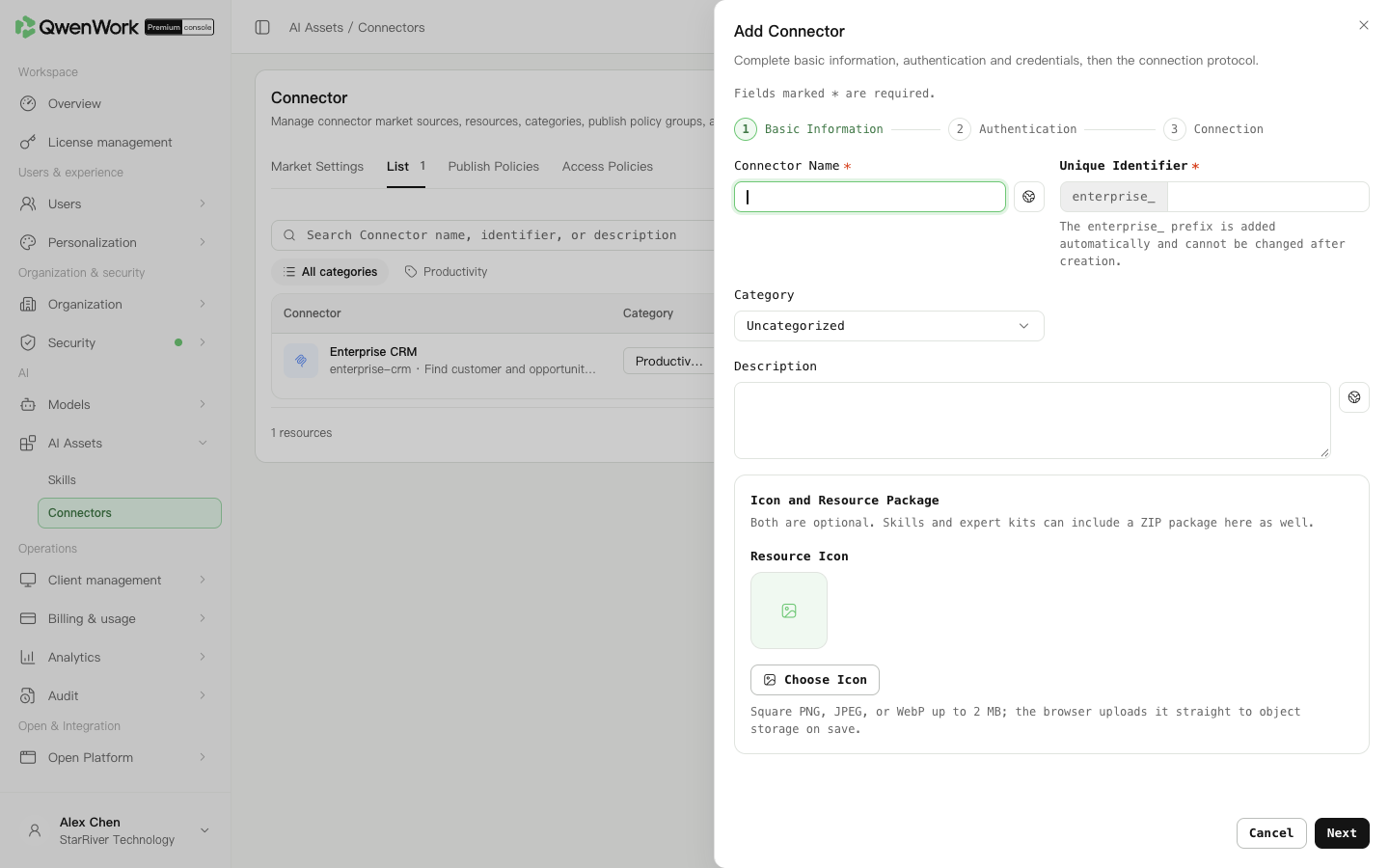 Admin console: enter basic information, authentication, and the service endpoint.
MCP is a protocol for connecting tool services. An ordinary web page is not a substitute for an MCP endpoint. Saving a configuration does not grant access to external-system data.
Admin console: enter basic information, authentication, and the service endpoint.
MCP is a protocol for connecting tool services. An ordinary web page is not a substitute for an MCP endpoint. Saving a configuration does not grant access to external-system data.
Open access policies and select a mode. These rules affect only connectors members add themselves. Connectors installed from the dedicated enterprise market are excluded.
Click the mode's save action to apply it. For rule evaluation:
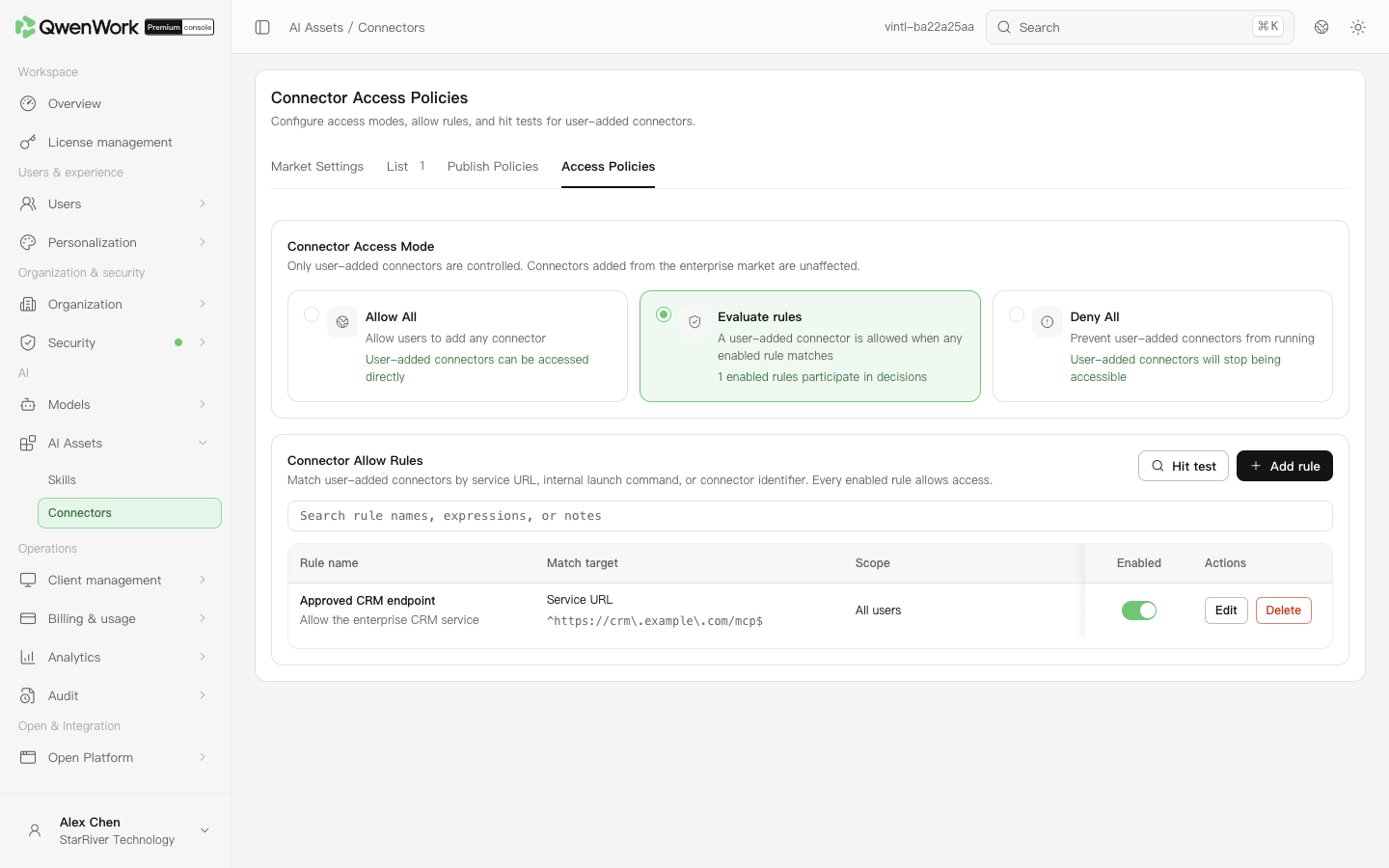 Admin console: set the mode and rules for member-added connectors.
For example,
Admin console: set the mode and rules for member-added connectors.
For example,
For user-supplied API Keys, members maintain keys in the client. The console does not receive or store their key values. Members replace expired keys; after changing header or authentication settings, ask them to check their connections again.
Return to: AI Assets overview
Enable connector markets
Open AI Assets → Connectors → Market management to configure the official and enterprise markets.
- Enable the enterprise market, open its configuration, and choose a dedicated or private market.
- A dedicated market is maintained here; a private market uses an existing enterprise market page.
- Enter its full page URL and allowed origin. The address includes the page path; the origin contains its scheme, domain, and necessary port, such as
https://market.example.com. - Save, check the mode, and verify client access.
Create an enterprise connector
- With the dedicated market enabled, open the list and add a connector. Alternatively, add an existing resource from the official market.
- In basic information, enter its name, unique identifier, category, and description. Explain which business system it accesses.
- In authentication and credentials, select no authentication, MCP OAuth 2.1 (DCR), or API Key supplied by the user, according to the service.
- For API Key authentication, define only the header name and value prefix here. Members enter their own keys in the client. Preserve required spaces in the prefix.
- In connection protocol, enter the provider's full HTTP service address and validate the configuration.
- Save and verify the resource and enabled state. Configure publication policies, then have a target member verify an actual connection.
Set enterprise connector access
- Add a publication policy group.
- Choose allowlist or blocklist, user scope, connector scope, and client targets.
- For automatic installation, choose specific resources in an allowlist first. All resources cannot be combined with automatic installation.
- Save and enable. Have members inside and outside the scope check visibility, then verify installation and actual calls.
Restrict connectors members add themselves
Open access policies and select a mode. These rules affect only connectors members add themselves. Connectors installed from the dedicated enterprise market are excluded.
| Mode | Effect on member-added connectors |
|---|---|
| Allow all | Direct access is allowed |
| Evaluate rules | At least one enabled allow rule must match |
| Deny all | Access is denied |
- Add a rule and enter its name and description.
- Choose the matching target. Use the service address or connector identifier for remote endpoints or resource identifiers; choose the internal launch-command option for command-based connectors.
- Enter a regular expression and select users, departments, or groups.
- Save, enable, and use match testing with a target member and connector information.
^https://crm\.example\.com/mcp$ allows only that full address. Escape periods; ^ and $ require a full match. Test both the allowed address and similar domains that should be denied.
Update credentials and troubleshoot
For user-supplied API Keys, members maintain keys in the client. The console does not receive or store their key values. Members replace expired keys; after changing header or authentication settings, ask them to check their connections again.
| Symptom | Check first |
|---|---|
| 401 or 403 | Credentials and external-system permissions |
| OAuth failure | Whether authorization must be renewed |
| Connector missing | Market switches, resource state, and publication policies |
| Member-added connector denied | Access mode, enabled rules, and user scope |