
The analytics overview shows enterprise credit consumption and activity.
The analytics overview shows enterprise credit consumption and activity. Select a date range before interpreting totals, daily averages, and trends; do not compare different periods as though they were the same.
BYOK (bring your own key) is available according to the capabilities enabled for your enterprise. Credits and limits in this guide refer to QwenWork credits. Check external model usage and charges on the model provider’s platform.
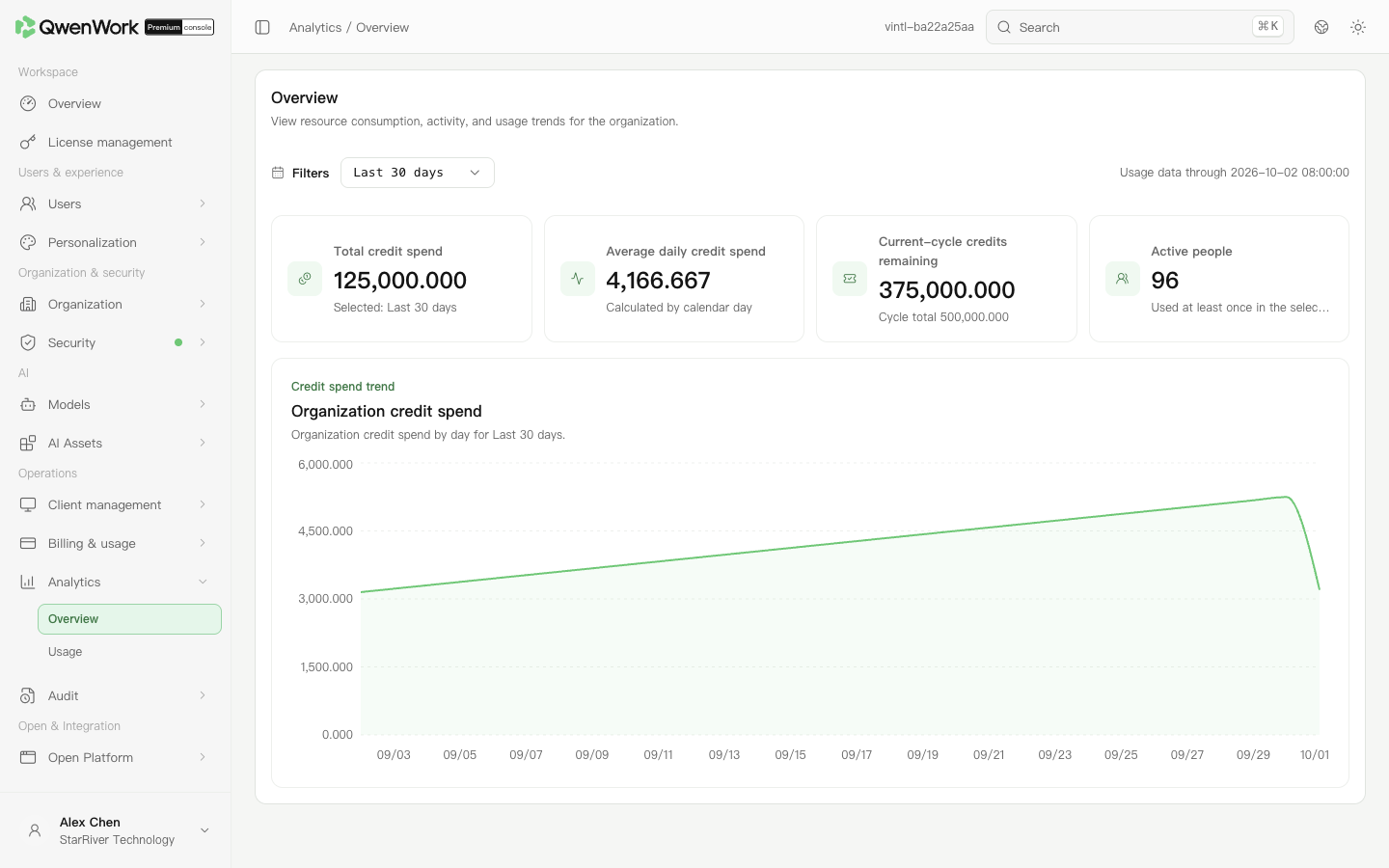 Admin console: check totals and trends for the selected period.
Statistics are retained for 180 days. The data update time helps determine whether recent usage is included.
Check that the period has not changed. In Usage, sort the user tab by period usage to locate the increase. Where authorized, use AI activity to investigate related conversation turns.
Return to: Analytics overview
Check enterprise usage trends
- Open Operations → Analytics → Overview.
- Select a period in the filters and note its start, end, and data update time.
- Check total credits consumed, daily average consumption, remaining current-period credits, and active members.
- Find dates with a clear rise or fall in the consumption trend, then open Usage to identify members contributing to it.
Interpret the metrics
| Metric | Meaning |
|---|---|
| Total credits consumed | Consumption in the selected range, not all historical enterprise consumption |
| Daily average | Calculated across calendar days in the range, including days without usage |
| Remaining current-period credits | The enterprise's current-period allowance, not a separate allocation to each member |
| Active members | Members who used the service at least once in the selected period; not the licensed-seat count |