
Usage shows credits consumed by users or departments.
Usage shows credits consumed by users or departments. Use it to verify allowance sources, identify heavy usage, and export reports.
BYOK (bring your own key) is available according to the capabilities enabled for your enterprise. Credits and limits in this guide refer to QwenWork credits. Check external model usage and charges on the model provider’s platform.
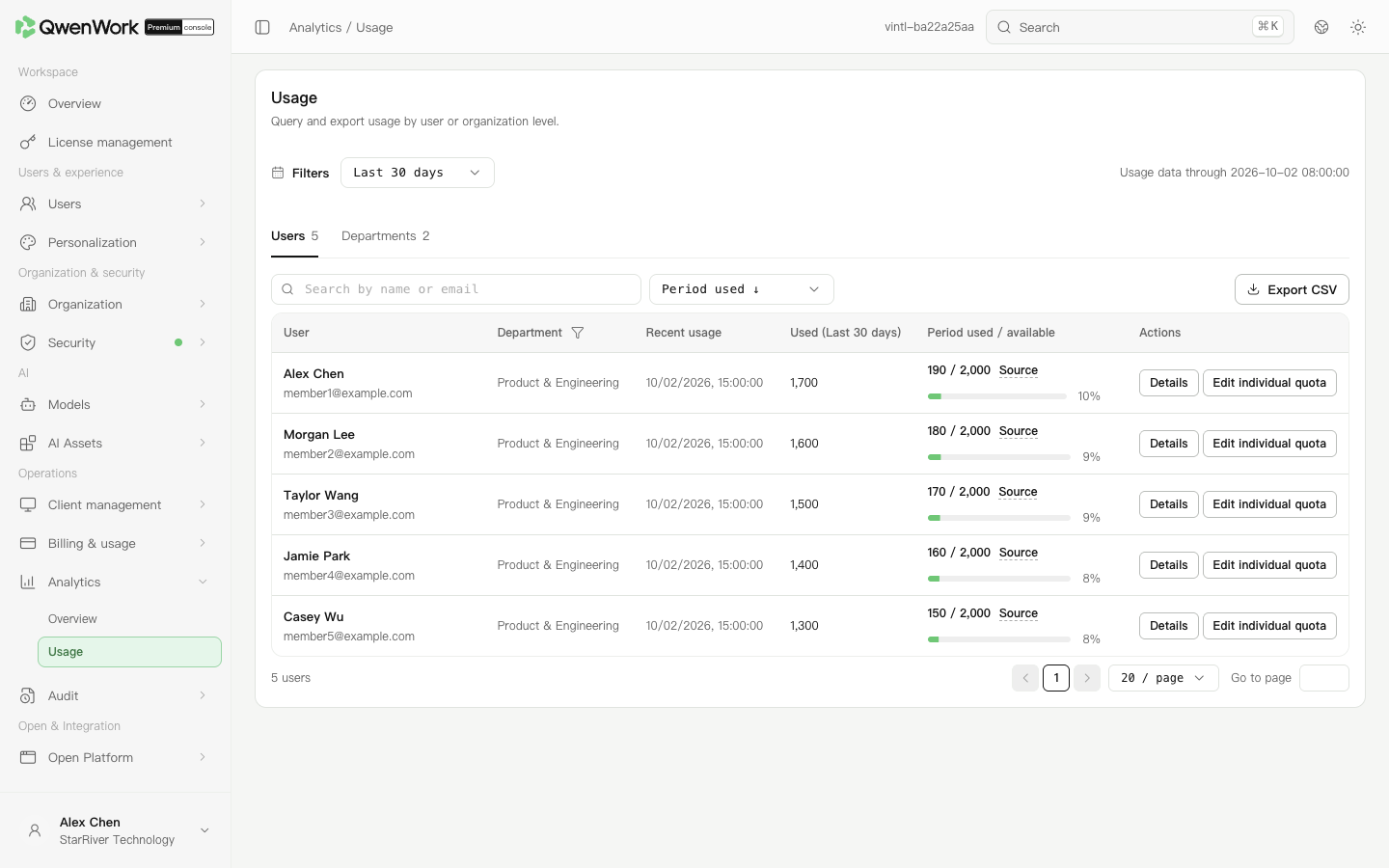 Admin console: compare usage and inspect allowance sources.
Switch to departments and open department names with child entries to drill down. Use the breadcrumb to return to a parent. Searching a department name searches across the enterprise.
Set the period, search, and filters before clicking Export CSV. Spot-check members, date range, and values in the file, and include the data update time in the report. Statistics are retained for 180 days; changing filters cannot recover records beyond retention.
Check the member's matching limit policies, the enterprise shared allowance, and update time. Policy changes do not rewrite past usage. After lowering a limit, historical usage may exceed it.
The recent usage time alone does not explain credit consumption. Use consumption data and related logs to check task activity.
Return to: Analytics overview
Query a member
- Open Operations → Analytics → Usage and select a period.
- On the user tab, search by name, email, or employee number. Filter by department where needed.
- Check Recent usage, selected-period usage, and used or available allowance in the measurement period. Click Source to inspect the policy behind the limit.
- Open the member's details for usage and trends. To adjust the limit, use that row's user-limit action and check whether it is permanent or current-period only.