
Email settings connects the enterprise SMTP server and configures senders and system email templates.
In Open Platform → Email settings, connect your SMTP server and set up senders and system email templates. You need the relevant management permission.
Obtain the host, port, encryption method, authentication account, password or authorization code, and permitted sender address from the enterprise mail administrator. Use the mail service's actual SSL/TLS or STARTTLS requirements rather than guessing from common port numbers.
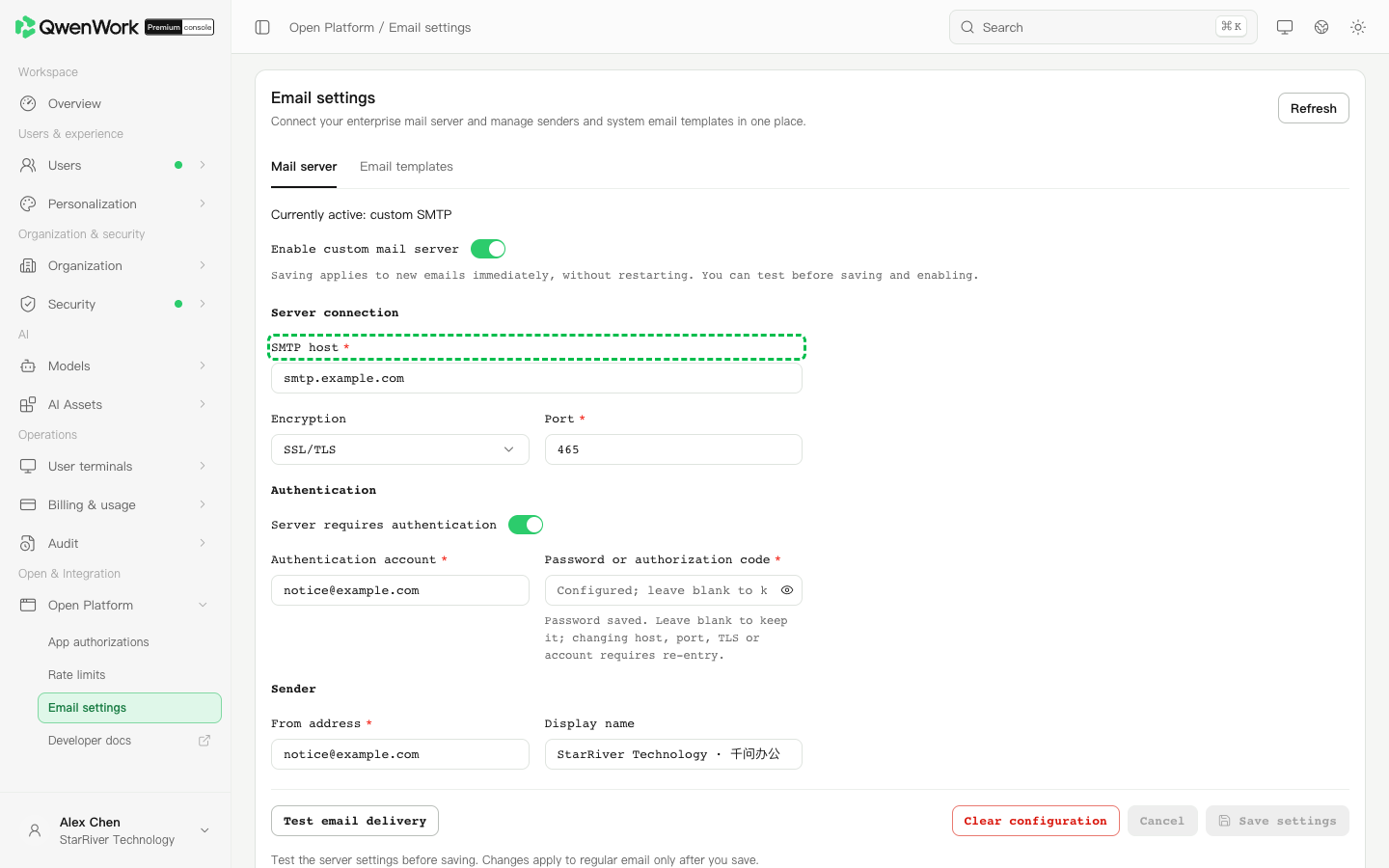 Admin console: configure the SMTP connection, authentication, and sender; test before saving.
Select the relevant verification, invitation, or notification template. Edit its subject and body while retaining the variables needed for the recipient to complete the action.
Save, reopen, and send a test to check the subject, body, and variable substitution. Use the template's restore action and confirmation when you need its default content.
Before disabling the custom server, check that another supported sending channel is available. Read the confirmation before clearing configuration.
Check the active state afterwards. Without a working channel, verification codes, invitations, and other system emails can fail. Configuration changes affect later messages and do not recall emails already sent.
Fill in the server, sender, and authentication settings in Email settings. Use the test email action and check the message in a test inbox.
After changing the server, send a test message and check the sender. After editing a template, trigger that kind of message with a test account and review the subject and text.
Return to: Open Platform overview
Prepare server information
Obtain the host, port, encryption method, authentication account, password or authorization code, and permitted sender address from the enterprise mail administrator. Use the mail service's actual SSL/TLS or STARTTLS requirements rather than guessing from common port numbers.
Configure and test sending
- Enter server connection details. If authentication is required, enable it and enter the account and password or authorization code.
- Set the sender address and display name. Confirm that the account may send from that address.
- Use the test email action with a test recipient.
- Check the recipient's mailbox and the server's delivery records. Server acceptance does not guarantee delivery; inspect an uncertain result before sending again.
- Save the configuration when it is ready to be enabled. Reopen it and check the active state.