
Admin activity records the object, action, and final result of console management operations.
Admin activity records the object, action, and final result of console management operations. Viewing a page does not create a management-change record. Queries cover up to the last 180 days. This window does not mean older data is deleted on day 181.
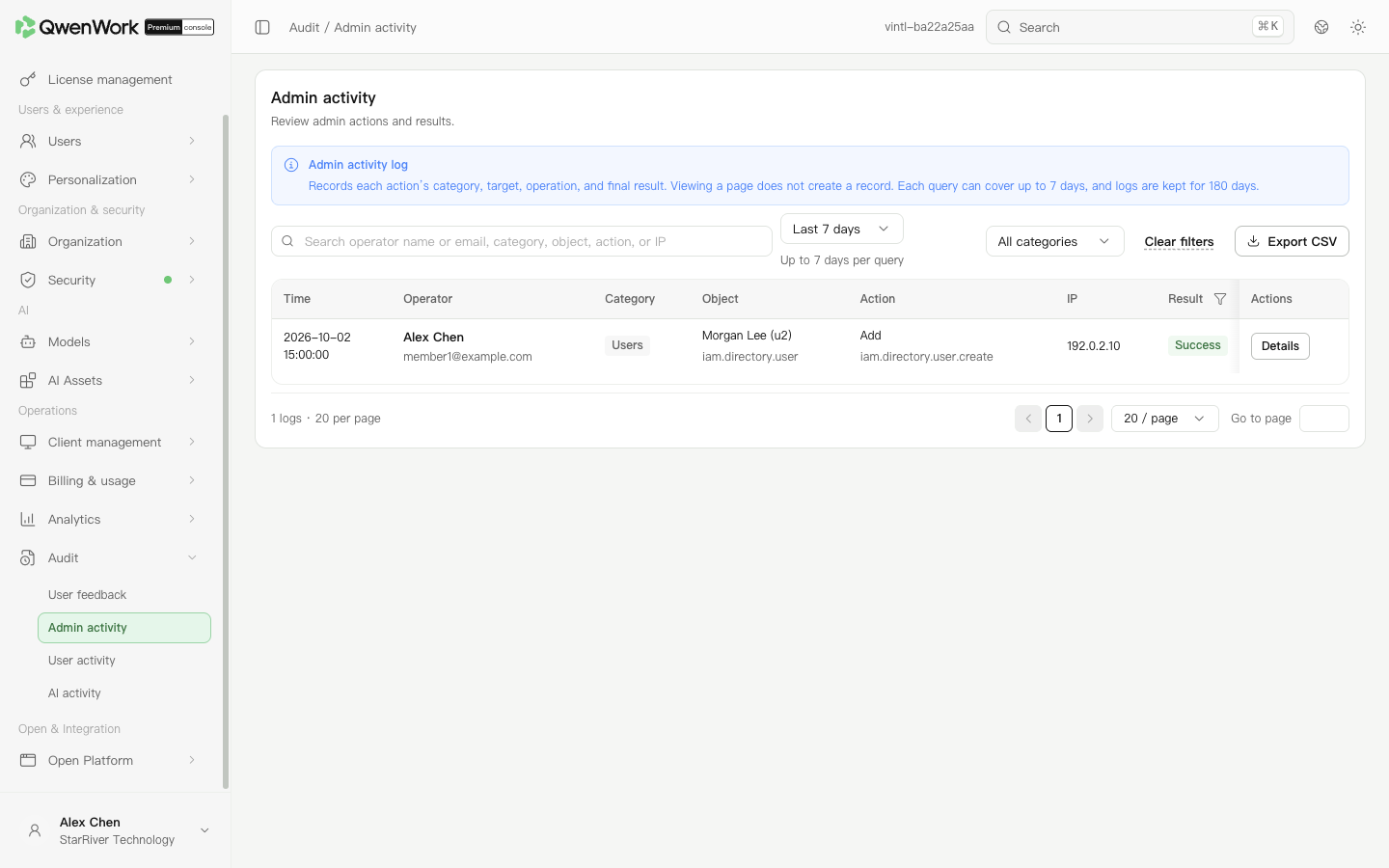 Admin console: locate an operation using its period, operator, and result.
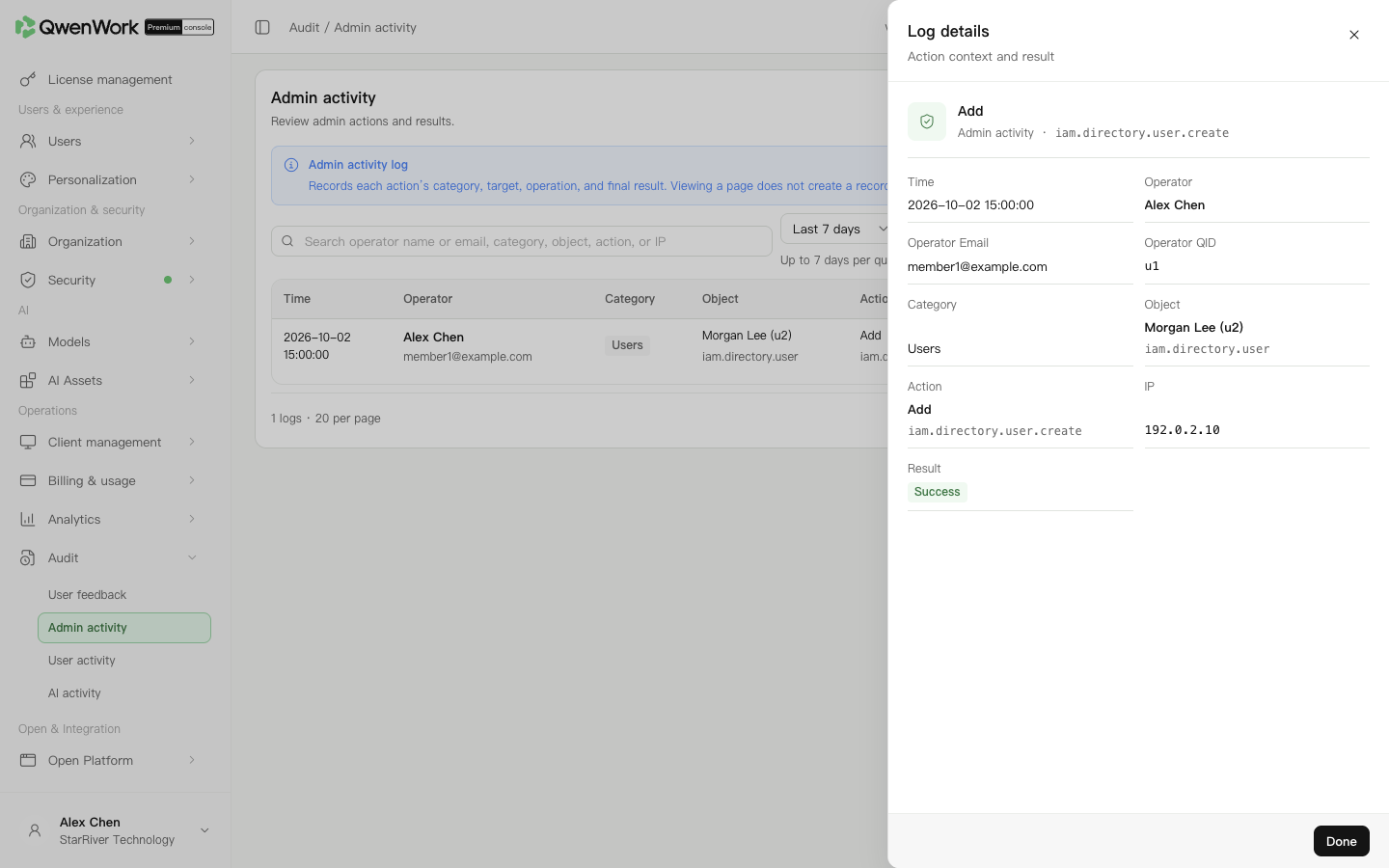 Admin console: inspect the operation and final result.
Read actions together. “Connection test succeeded” and “Configuration saved” are different records. After confirming the intended action succeeded, check the current value on its configuration page; later operations may have changed it again.
To share investigation data, retain the filters and export CSV. The export uses the period, search, category, and result filters. For credential changes, provide identifiers and status without plaintext secrets.
Clear search and result filters, then select the relevant dates in a query window of up to 7 calendar days. Confirm the operation occurred in this enterprise and within the 180-day query window. Viewing data alone does not produce a management-change record. For client events, use User activity or AI activity.
Return to: Audit overview
Find a configuration change
- Open Operations → Audit → Admin activity.
- Choose the period containing the operation. Use today, yesterday, last 3 days, last 7 days, this week, or a custom range. Each query covers at most 7 calendar days; the default is last 7 days.
- Search by operator, object, action, or IP. Use the result filter when investigating failures.
- Open the target record's details and check its time, object, and result.