
Dependencies keeps enterprise mirrors of files such as Python and Node.js packages for the desktop app.
Use Dependencies to keep local copies of files such as Python and Node.js packages for your desktop app. Access to this page is controlled by its own permission.
Open User terminals → Environment packages. Files are matched by dependency name, operating system, and architecture. A request for a specified version also needs an exact version match. If no matching enterprise mirror is available, the default source is used.
Check the operating system and processor architecture before uploading. Windows, macOS, Linux, and different architectures require their corresponding files.
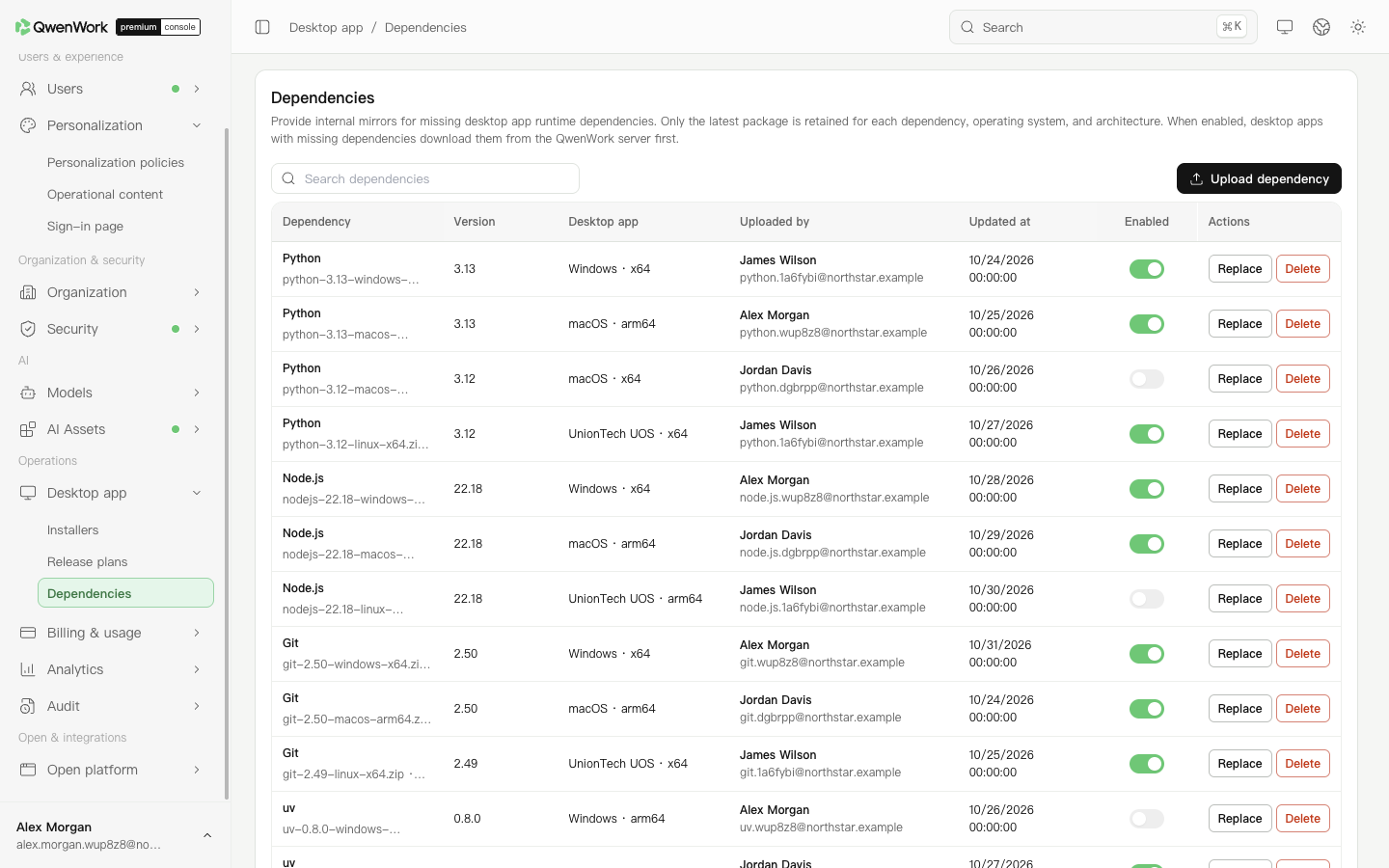 Admin console: review dependency versions, platforms, architectures, and enabled states.
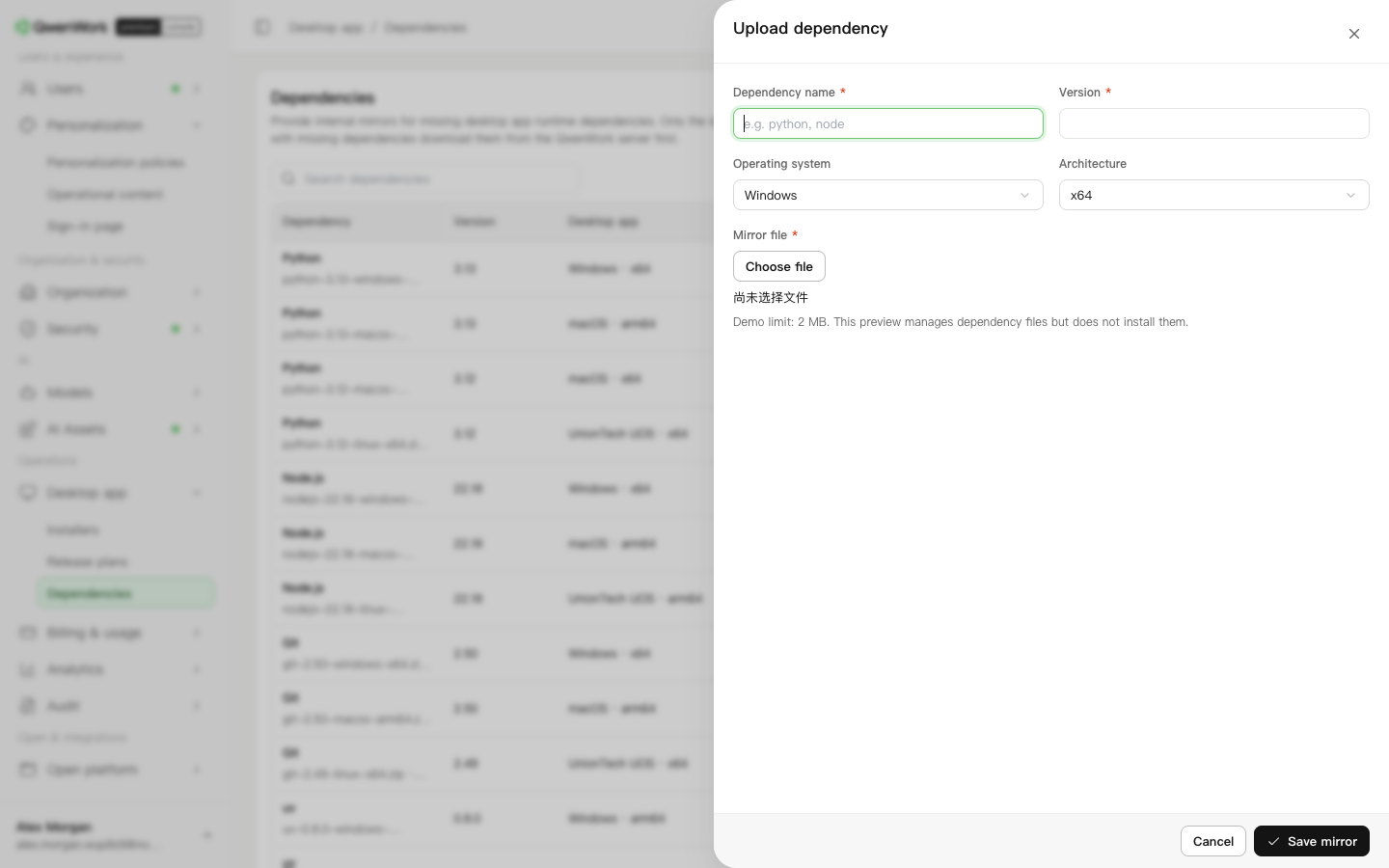 Admin console: enter the dependency name and version, then choose the matching platform and file.
Use Replace on the target row to change a file. Recheck its platform, architecture, and version before confirming.
Before deleting a mirror, disable it and check that a default or replacement source works for the intended devices. Refresh the list if its state is uncertain. After a failed upload or replacement, inspect the saved entry before retrying.
Use Dependencies to make the package or its internal address available to the desktop app. Test from a device on the employee network.
Match the dependency name, version, operating system, and architecture. Compare those four fields with the device if it cannot get the package.
Return to: User terminals overview
Understand matching
Open User terminals → Environment packages. Files are matched by dependency name, operating system, and architecture. A request for a specified version also needs an exact version match. If no matching enterprise mirror is available, the default source is used.
Check the operating system and processor architecture before uploading. Windows, macOS, Linux, and different architectures require their corresponding files.
Upload a mirror
- Click the upload action and enter the dependency name and version.
- Choose the operating system and architecture.
- Select the corresponding file, up to 1 GiB, and start uploading.
- Wait for upload completion, then save. Check the name, version, platform, architecture, and enabled state in the list.
- Enable the entry if needed and test retrieval and use on a matching device.