
Input placeholders are the hints members see before entering text.
Input placeholders are the hints members see before entering text. Set separate hints for the normal state and the AI replying state so members understand what they can do.
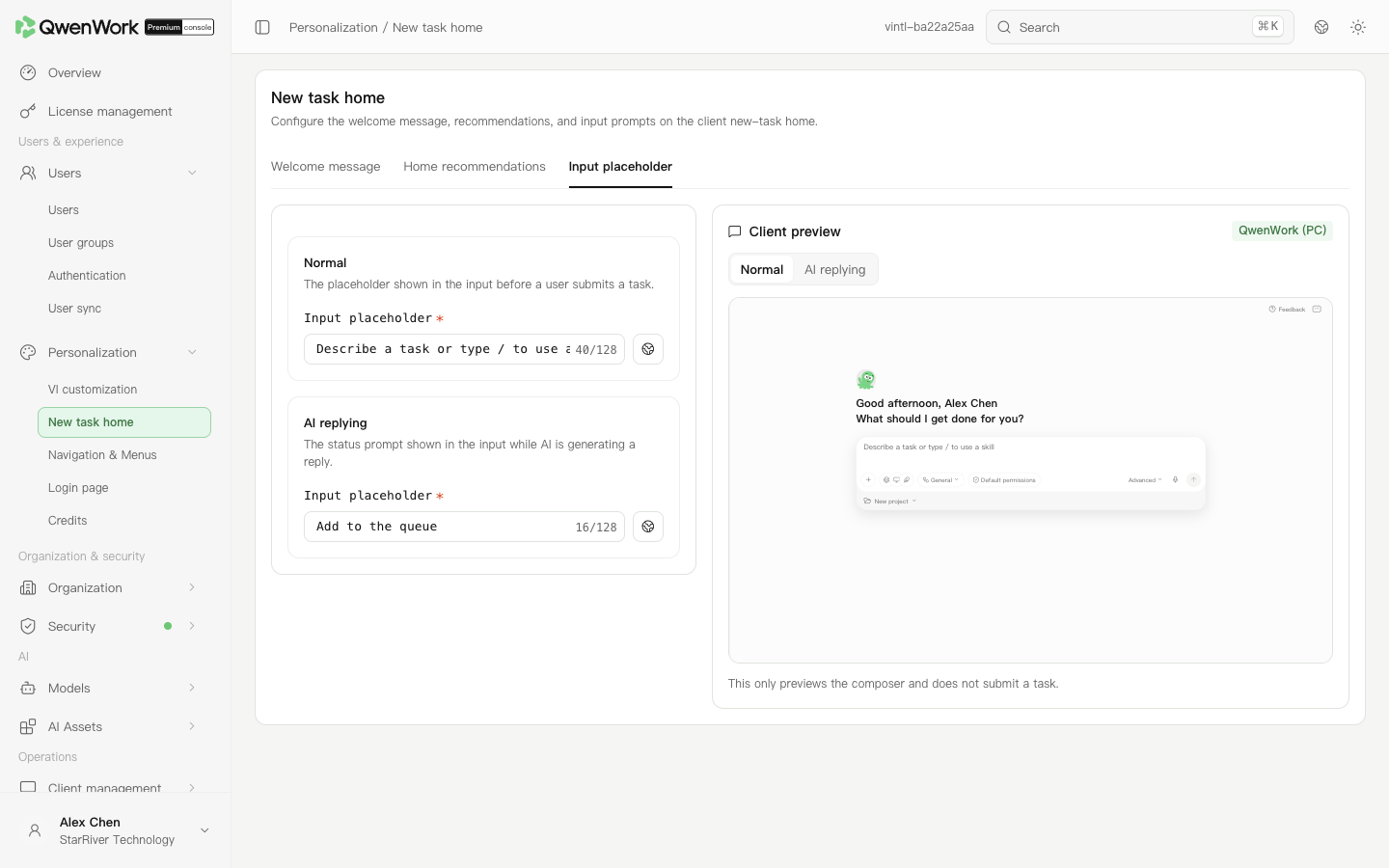 Client preview in the admin console: check normal and AI replying hints.
Return to: Personalization overview
Client preview in the admin console: check normal and AI replying hints.
Return to: Personalization overview
Edit the hints for both states
- Open Personalization → New task home → Input placeholder.
- Enter the normal-state hint, such as “Describe a task, or type / to use a skill”.
- Enter the hint shown while AI is responding. Each hint supports up to 128 characters.
- Switch between the normal and AI replying states in the preview and check that both hints are clear.
- Click Save and publish when it appears after editing. Reopen the page after success to verify the saved values.