
Hooks call an enterprise HTTP service when a specified client or Agent event occurs.
Hooks call an enterprise HTTP service when a specified client or Agent event occurs. Administrators select the event, add the prepared rules and control whether they are enabled. For example, a hook can notify your business system when a session starts.
Open Security → Automation in the admin console. The page is headed Hooks Rules.
Each event supports one policy group. To call several services for the same event, ask your developer to include the rules in one configuration array. Enabled groups apply to everyone by default.
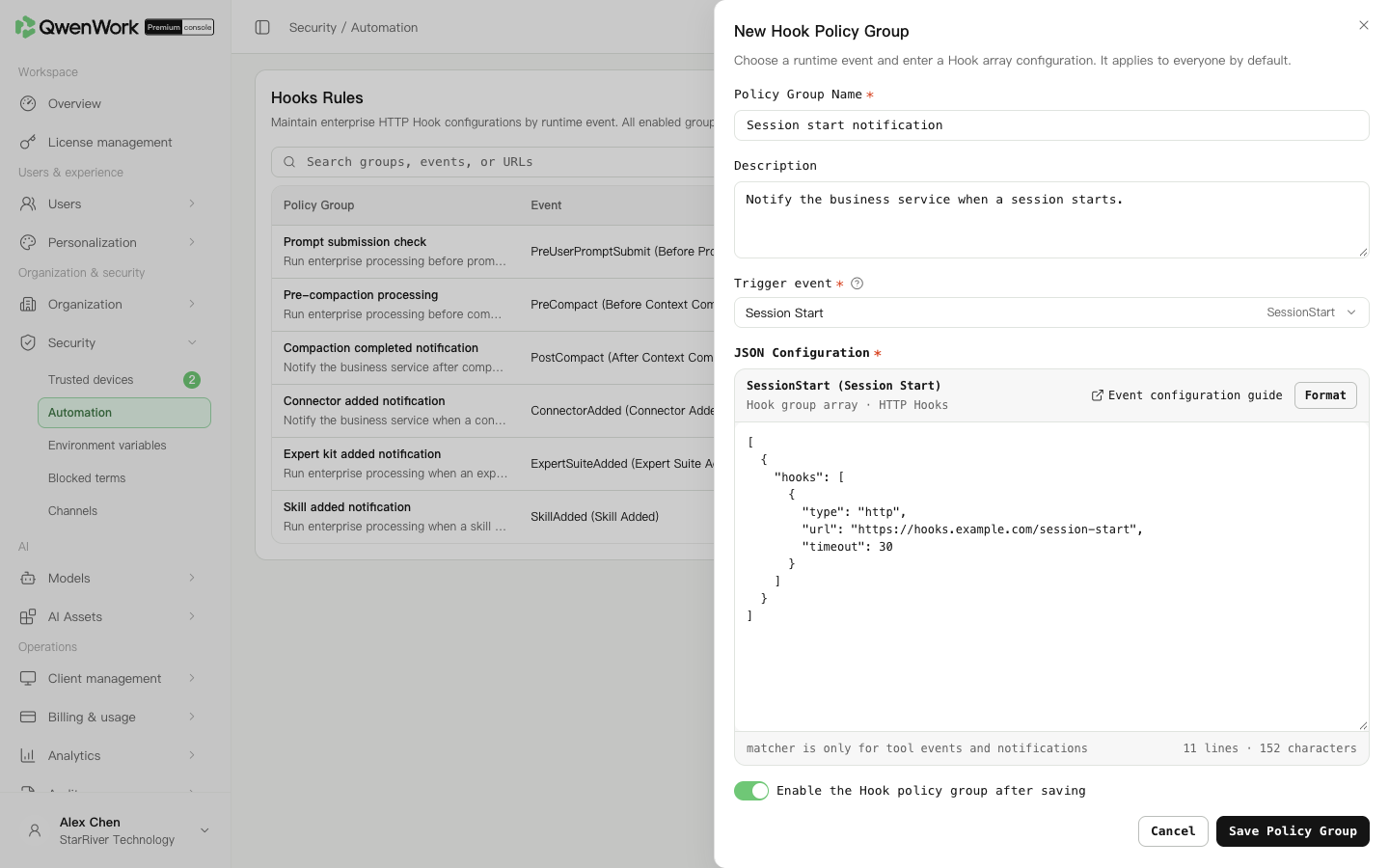 Admin console: select a trigger event and enter the prepared rules in a new policy group.
Select the event that matches your business operation:
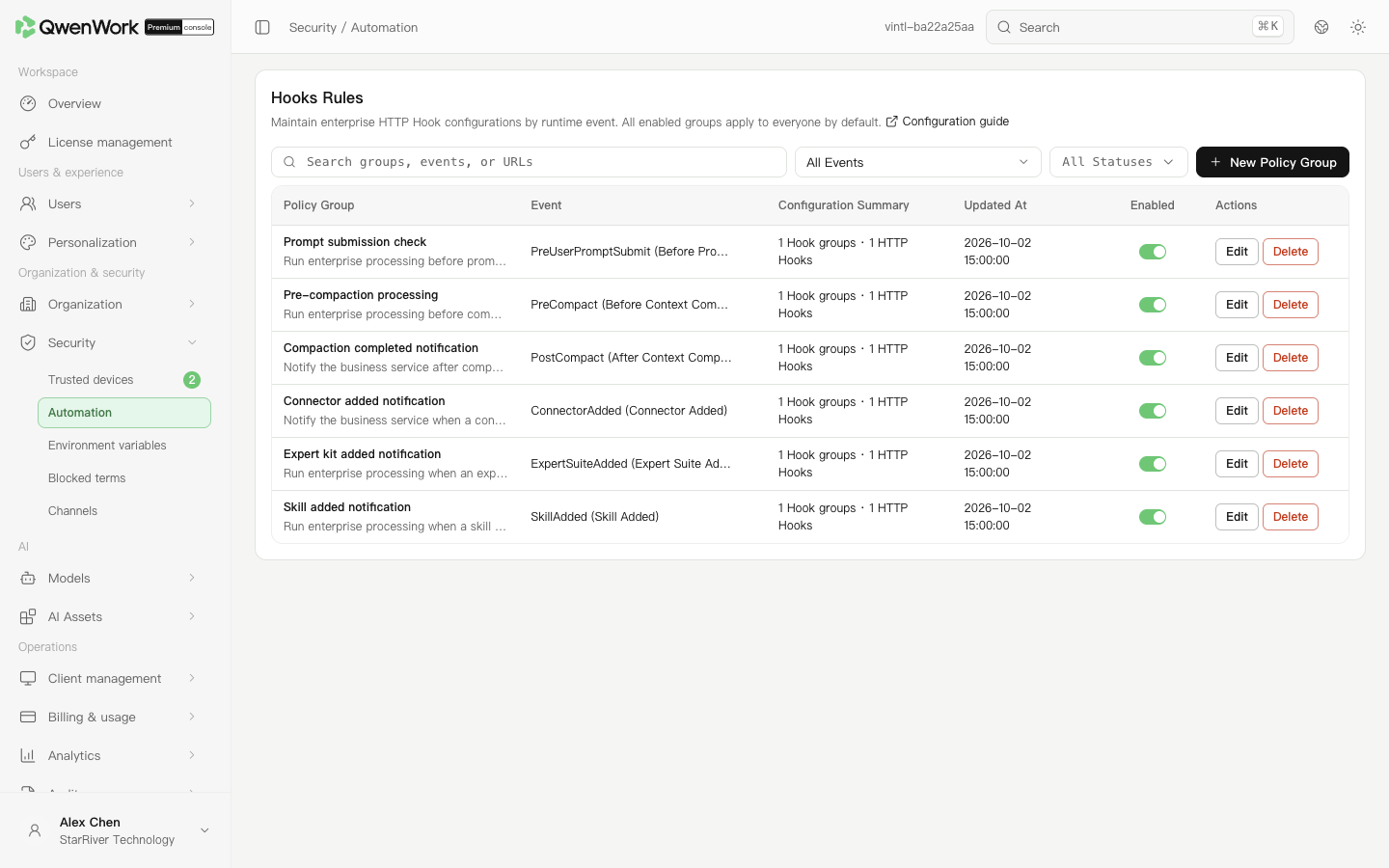 Admin console: manage groups by event and check their configuration summaries and enabled status.
Your enterprise developers prepare the rule content. For the configuration format, HTTP calling conventions, and event requests and responses, see the Hooks integration guide.
Configurations are stored as plain text. Check your enterprise requirements before including sensitive headers or tokens. A successful save confirms that the configuration was stored. To verify that the business service receives requests, trigger the corresponding operation in the client and check the service's call records.
Add an event and rules
- Click New Policy Group. Enter a Policy Group Name and Description that explain its purpose.
- Select a Trigger event. An event that already has a group cannot be added again. To change its rules, return to the list and click Edit for that group.
- Paste the array supplied by your developer into JSON Configuration. Click Format to arrange the text. The page reports an error if the configuration is not a valid JSON array.
- Set Enable the Hook policy group after saving according to whether the configuration is ready to use, then click Save Policy Group.
- Check the event, configuration summary and enabled status in the list.
Choose the trigger event
Select the event that matches your business operation:
- SessionStart: a session starts.
- PreUserPromptSubmit: before the user submits a prompt.
- UserPromptSubmit: the user submits a prompt.
- PreToolUse: before a tool runs.
- PostToolUse: after a tool runs.
- Stop: the Agent stops responding.
- PreCompact: before context compaction.
- PostCompact: after context compaction.
- ConnectorAdded: a connector is added.
- ExpertSuiteAdded: an expert suite is added.
- SkillAdded: a skill is added.
- Notification: a notification occurs.
Edit, enable, disable or delete a group
- To change a group, click Edit, update its name, description or configuration, then save and check the list.
- To pause a group, turn off its enabled switch. Turn it on again when you want to resume using it.
- To remove a group, click Delete, check the group name and confirm. Its configuration will no longer be distributed.
- To find a group, search its name or configuration, or filter by event and status.